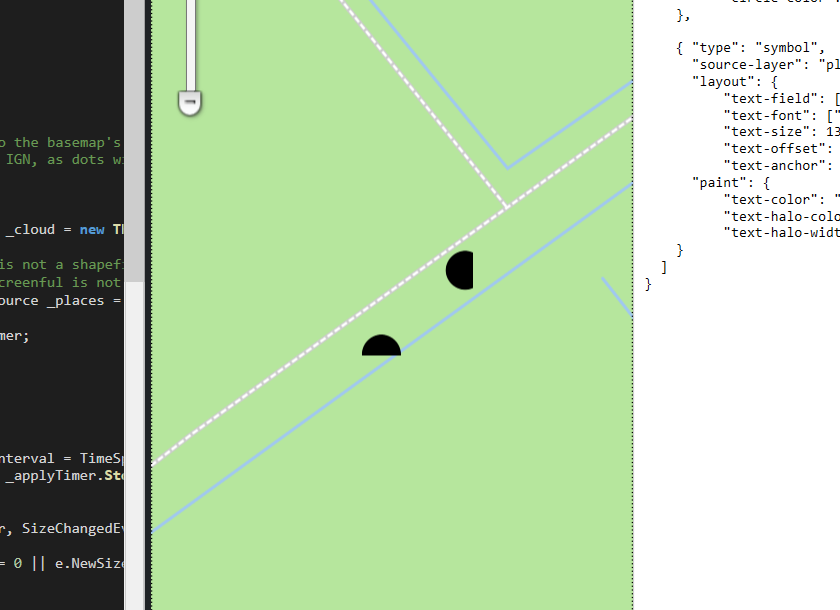
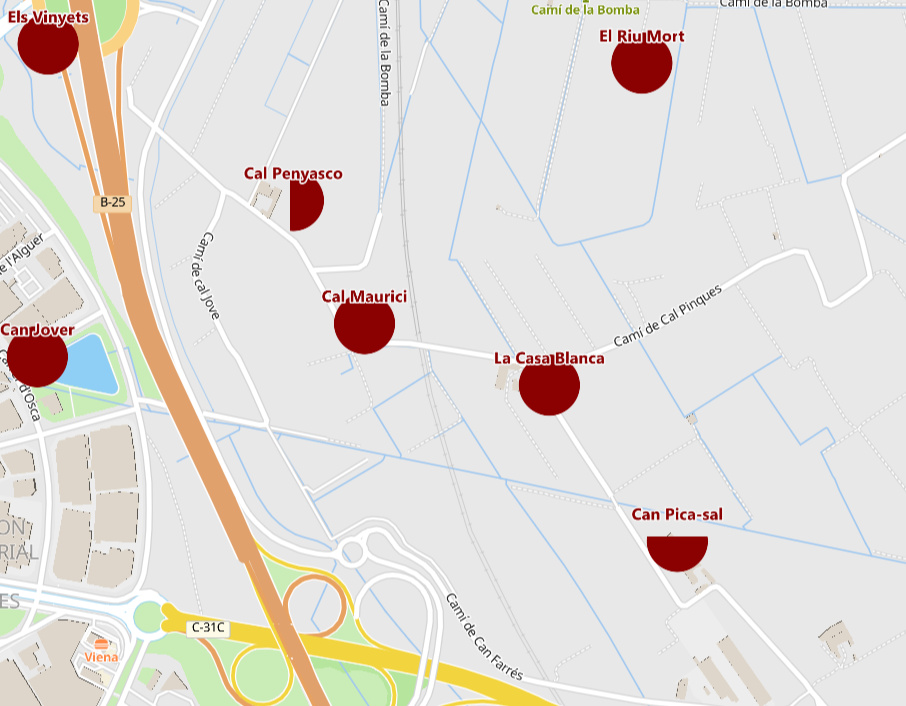
When using OgcApiAsyncFeatureSource and InMemoryFeatureSource with GPU rendering it seems that features from InMemoryFeatureSource are cut off on tile border. On below image black circles are from OgcApiAsyncFeatureSource and blue ones from InMemoryFeatureSource:
Also noticed that when zooming in/out same cut off can be seen also for features from OgcApiAsyncFeatureSource so that first cut off circle is drawn but quickly updated to full circle causing kind of blinking circles on tile edges.
The tile cutter cuts several tiles at the same time, and it used to give each worker a copy of the feature source, made when the map opened. Points added to an InMemoryFeatureSource after that only go into the original, so only the worker holding the original could see them. A circle that spans two tiles then lands in one tile and not in the one beside it — the cut in your picture.
It’s fixed in beta190, in which an in-memory source is not copied any more. The cutter shares the one instance and the workers take turns on it, so nothing can go stale, and tiles that were already cut are thrown away when the source changes.
To be straight with you: what we reproduced and fixed is the dynamic-write case, I’m not sure if that’s the issue you have. Can you share your code if you still see issues with the latest beta.
Usually that cut off is not permanent for points from ogc but more like that blinking circle what I described earlier but I was also able to get it as permanent (stayed as half circle until next refresh ) when zooming and panning.