Thanks for your post and sample code to recreate the problem.
I did find the problem exists when numberOfItemsToFind is set to 1 or 2, in this cases, it will only find the features in the first shape file, ignoring the others, which is exactly the same as you said. While when the numberOfItemsToFind > 2,this issue will go away.
I have created a Gemini issue (issue 6101) and pass it to our development team; I will keep track of this issue and let you know when it is fixed.
Any more questions please feel free to let me know.
I tried setting numberOfItemsToFind > 2, and the issue remains. I looped through values 1 to 200 for numberOfItemsToFind, and got the following results: 1 to 59: All AZ 60 to 117: 59 AZ, the rest in CA 118 to 200: All AZ
This issue should be fixed in next release, you can get a fixed version via our Daily Build port, and the updated version should be 4.5.15.0 which is built tonight (11/15/2010), please get it and have a try.
Any more questions please feel free to let me know.
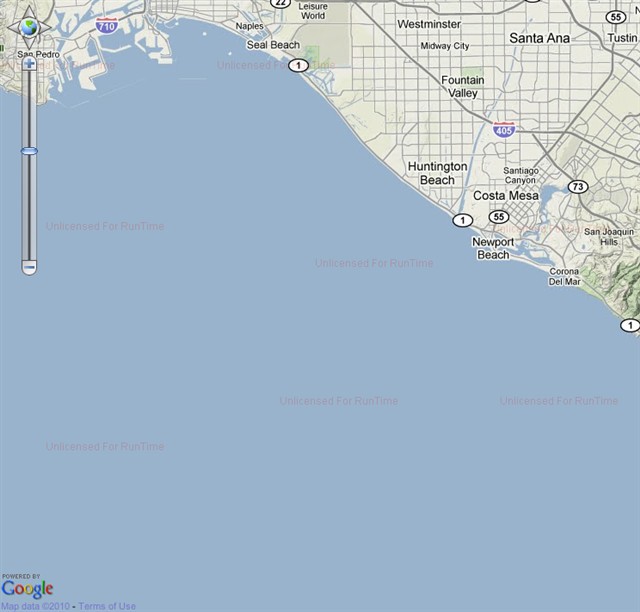
I found that the daily build causes unlicensed watermarks to appear on my maps. I got this behavior with 4.5.15.0. I reverted to 4.5.0.11 and that got rid of the watermark. Any ideas?
We can not reproduce your problem, could you provide a screen-shots for both and display the same extent, or even more information which you think it may help us.
Since this only happens in our production environment, I am unable to provide a screen-shot without disrupting service. Plus, I don’t see how a screen-shot would help.
Is there something with licensing that has recently changed? Maybe different versions are checking different registry entries?
The watermark only appears in the Daily Development Build (4.5.x.0), and not the Daily Production Build (4.5.0.x). But for some reason, you don’t have this bug fix included in the Daily Production Build.
Can this issue be escalated? I have wasted a lot of time debugging, providing examples, posting back and forth, and still don’t have a solution.
I have fixed the bug for GetFeaturesNearestTo to 4.5.0.x too, so you can use it without getting the watermark. I still curious that why 4.5.x.0 has watermark problem. Is it a new problem after we fix the GetFeaturesNearestTo bug? If it’s a new bug, which version doesn’t have watermark? Screen-shot is useful to find the watermark problem, because different our product or assembly has different watermark, for example, if you use winformap, it will show two kinds of watermark, one is rendered by MapSuiteCore, the other is rendered by DesktopEdition. Also some situation will be different, such as set cache, use multi tiles, etc… so if you want to we fix watermark problem at 4.5.x.0 as well, provide a screen-shot would be helpful.
I discussed with James about this issue and I think we misunderstood you are using the Desktop Edition instead of the Web Edition, now from the screenshot and description, it seems you are using the Web Edition. Please do not hesitate to let me know if I am wrong.
Any more questions please feel free to let me know.
1. from the list you provide, the result is 4.5.0.x has no watermark, 4.5.x.0 has watermark, could you verify this result?
2. I am curious why you provide a screen-shot by using WebEdition, it has more situation than DesktopEdition, it seems you deploy it on IIS, that need to Server License Kit which you can contact our sales. Did you test the GetFeaturesNearestTo by using DesktopEdition or ServicesEdition? Please let me know the result.
Just let you know, this forum is specified for DesktopEdition which has many different with WebEdition or other product, if you're not DesktopEdition user please create topic at suitable forum which has more people familiar with your problem. We try to solve any problem for users, but do something we're not familiar, just waste the user's time that nobody want.
2) I am a WebEdition user, but found this topic already in the DesktopEdition forum about MultipleShapeFileFeatureLayer. Since it is a part of MapSuiteCore, I figured it didn’t matter what forum. Then, the fix led to problems with the new DLLs, so the problem warped into a WebEdition licensing problem.
I have a server license (2 actually) and everything was working fine before the new DLLs. I have only tested things in WebEdition.
I did grab last nights daily dev build (4.5.32.0), and it looks like the watermark problem is fixed. I have not changed anything on my end, so someone on your end must have fixed whatever the problem was.
I double check our DailyBuild team, they said they didn’t do any change, so I still don’t know why it is like that.
Let you create topic at exact forum is just for convenience, we would like you create more topic here, no other meaning. Like you said, it seems this is MultipleShapeFileFeatureLayer problem but actually MultipleShapeFileFeatureLayer is belongs to ServicesEdition, however SerivesEdition’s main assembly is MapSuiteCore which is used to all other products.
Just feel free to let me know if you have more questions. Thanks