ThinkGeo.com    |     Documentation    |     Premium Support

Some highlights disappear when zooming in

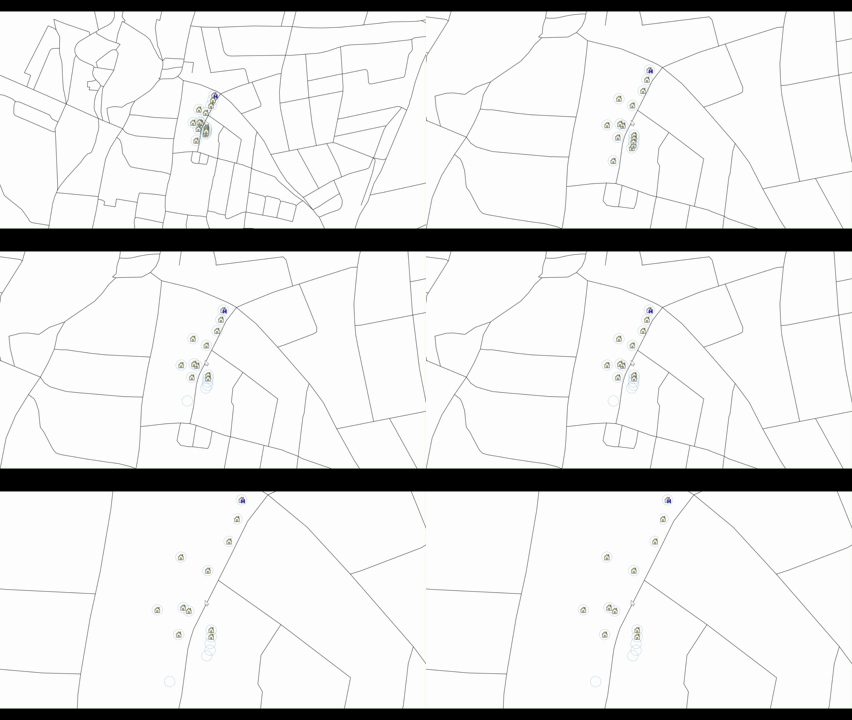
Hi Ben, sorry it’s me again. We noticed that some highlights disappear when zooming in in the latest beta.

highlights_disappear

I think you know our setup by now - if there’s anything else you need to debug this let me know!

(GPU Render only)

I also noticed that zooming further out and back in makes other icons disappear now.

We also noticed that (after applying the new highlights) we saw some still cut off (with others missing)

Hi Julian,

In fact, we cannot recreate this one with the latest beta171. Can you share some of your code? Or you can enable the logs as following and send me the log file:

ThinkGeoDebugger.LogLevel = ThinkGeoLogLevel.Message;
ThinkGeoDebugger.LogType = ThinkGeoLogType.Gpu;
ThinkGeoDebugger.LogStreamWriter = new StreamWriter("gpu.txt") { AutoFlush = true };

Thanks,
Ben

1 Like

gpu.txt (23.2 KB)

Here you go! If you need anything else - let me know. Code is the same as in Highlights are sometimes cut off against transparent background

Hi Julian,

Thanks to the log! it’s now fixed in beta172.

When we cut your highlight layers into tiles, a feature’s id was carried through only if it was a number. Yours are GUIDs, so each tile numbered its own features 1, 2, 3 - unique inside that tile and nowhere else. Your highlights span several tiles, so two of them arrived under the same id, and the label engine uses that id to recognize one feature across tiles: it kept the first and dropped the rest. Zooming re-cuts the tiles, so a different set collides each time.

Same root cause, same build: polygon labels are picked by that id too, and turning on GPU logging over a labelled polygon layer could crash the process. Both fixed.

You mentioned rings still cut off - does that still happen on beta172? The clipping fix
went in at beta169, so if it does, it is something else and I want a screenshot.

Thanks,
Ben

Sweet, good find! This would have happened without a GUID too though if I understand it correctly.

Be aware that yes, we still see cut offs in the beta 171. The image I sent which shows cut off highlights was with beta 171.

I can check tomorrow with beta 172!

Thanks
J

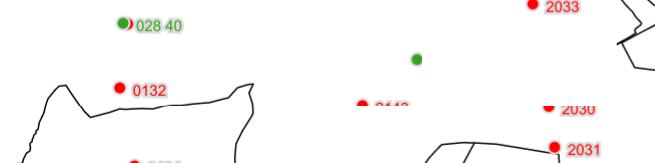
Here is an image of it happening in the latest beta now (174)

image

Those arent highlights, that’s just a WMS layer. seems like tile edges cut off features? Be aware, this is happening in CPU render.

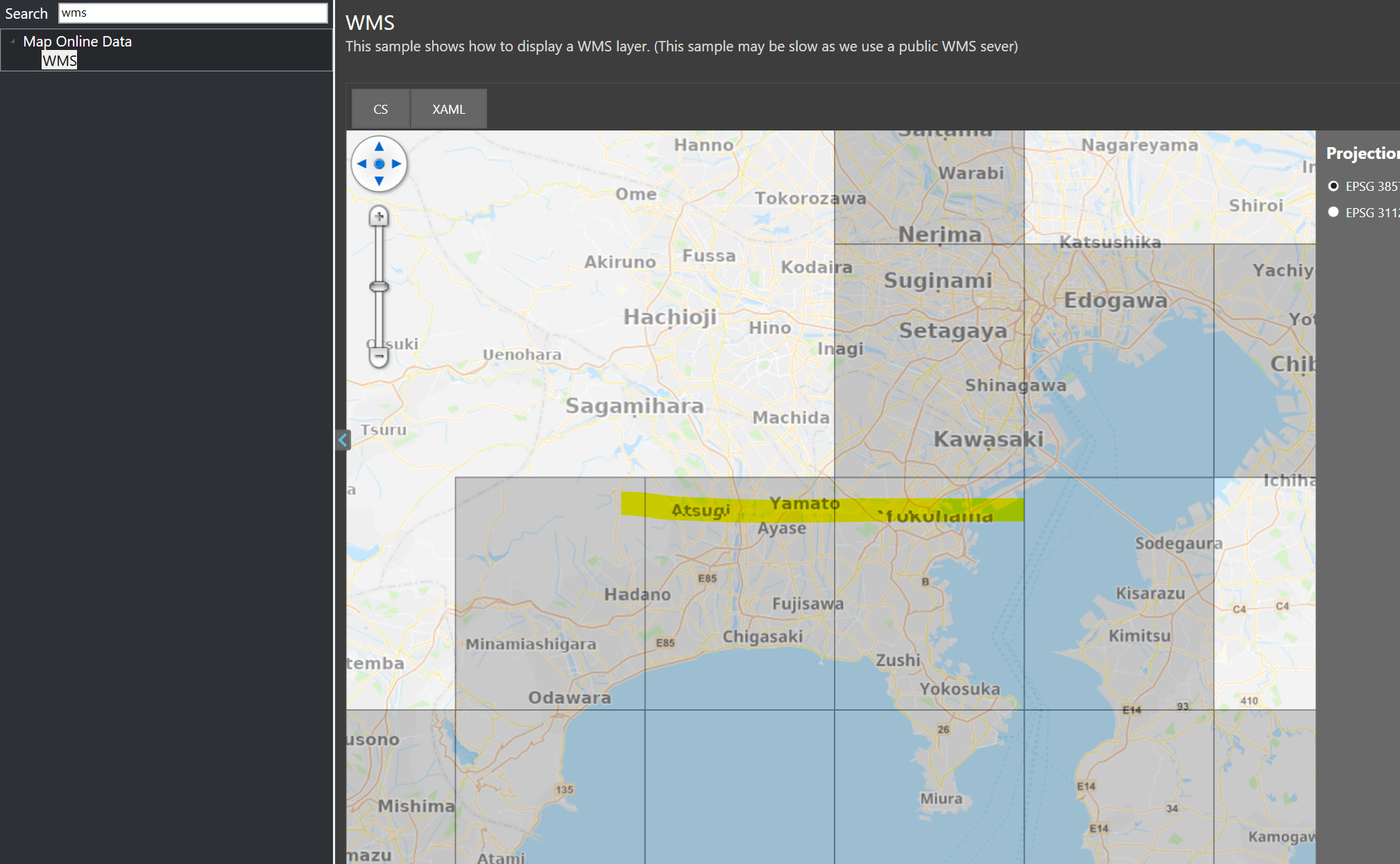
Something similar seems to happen in your HowDoI sample as well:

Hi Julian,

Your last reply reveals two standalone issues.

  1. Your WMS, cut at tile edges. Fixed in 15.0.0-beta175. A WMS draws each request on its own and clips at the edge, so a symbol near a tile edge lost half of itself. The layer now asks for a bit more ground than the tile and keeps only the tile, so the two halves meet. It is DrawingMarginInPixel on WmsAsyncLayer, 50 by default. Set it to 0 for the smaller requests.
  2. “Yokohama” has its top sliced off. That is our basemap, not your WMS. We will dig in and figure it out.

Thanks,
Ben