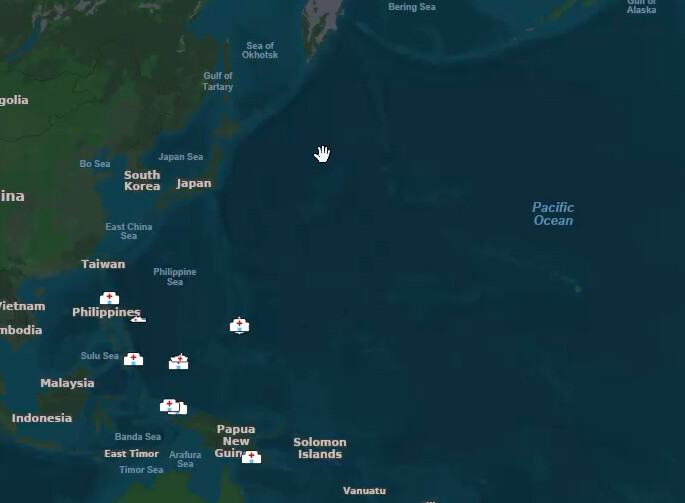
See the attached code, run the ScenarioPlaybackXML project. All of the map objects flash when things are moved, move the time slider to around hour 600, and zoom in to the area with the most objects for a clear representation. You can increase the playback speed also to make it even more noticeable.
There is a static and a dynamic overlay and only the dynamic overlay, which has the actual moving objects in it, should update. Things will move into the static layer as they are “parked”, but this should not be happening that often.
As a side note I tried updating to the latest beta for 15 and get an error when the map loads, so I rolled back to the version in the sample.
Thanks for the sample - it reproduced straight away. There were two problems on our side, and both are fixed in 15.0.0-beta219 (ThinkGeo.Core and ThinkGeo.UI.Blazor).
The flash. Your static overlay was not being cleared - it was being redrawn and briefly drawn with holes. Each redraw replaces the overlay’s tiles, and the old tile stands in until the new one arrives. When a second redraw came in before the first one’s tiles had finished going onto the GPU, the stand-in was a tile that could not be drawn yet, and the tile went blank for a frame or two. At playback speed that is every frame, and on every overlay you redraw - so static and moving objects flashed together. Measured on your project at hour 600, 10x, zoomed in on the Philippines: 10 frames in ~100 with icons missing on beta154, none on beta219.
The error when the map loads on the newer betas. Your RestrictExtent is ten worlds wide so the map can wrap the dateline. The newer betas draw with a different engine (MapLibre) by default, and it refused a restriction wider than one world. A restriction that wide now limits only north and south, which is what it meant.
One change you will need in your code when you upgrade
DecimalDegreesHelper.SplitByDateline is no longer public; DatelineHelper.Split replaces it. Use the overload that takes the shape, which always gives you a MultilineShape like the old method did:
(The overload that takes a Feature hands back a line that does not cross the dateline unchanged, as a LineShape, so your “is MultilineShape” check would skip it and the trails would disappear.)
Something worth looking at in your own code
Your static overlay is redrawn on every frame, not only when something parks. In PlaybackMapService.LoadMapAtHourInternalAsync:
var refreshStaticOverlay = overlayRefresh.RefreshStaticOverlay
    || (placedFeatureUpdate.AnyChanged && hasStaticTransports);
Once any transport is parked, hasStaticTransports stays true, and AnyChanged is true whenever anything moved - so the static overlay is redrawn as often as the dynamic one. Over 22 frames we counted 22 static redraws. overlayRefresh.RefreshStaticOverlay already covers a transport parking, unparking, appearing or leaving, so the second half looks unnecessary. With the fix above it no longer flashes, but each redraw still draws all of the overlay’s tiles on the server and sends them to the browser.
Much, much better and thanks for the heads up on the refresh on my end. I was going to track through all of those this morning and see if there was anything could improve.
Good catch - that came with the switch to the MapLibre engine, whose default cursor is the hand. It’s back to the arrow in 15.0.0-beta220; the hand still shows while you drag.
Ok got a new one, with the latest change, if you run the basemap and click the theme button the map does not update. It worked prior to changing version today, I tested on the original zip file I sent yesterday which is still on 154.
Thanks for catching that. Since the switch to the MapLibre engine, changing the MapType of a ThinkGeoCloudRasterMapsOverlay was being ignored, so the theme button never changed the basemap. It is fixed in 15.0.0-beta226.
We also found similar issues in other overlays (wmts, wms, etc), we are on them and they will be fixed in beta227.
Also just FYI the WMS/WMTS follow-up is now in beta227:
A WmtsTileOverlay whose layer, style, tile matrix set or server you change now shows the new tiles. Before, it kept drawing the old ones (on both MapLibre and OpenLayers).
On MapLibre, a WMTS server that uses a REST url template got no tiles at all. That works now.
On MapLibre, when a WMS or WMTS overlay was updated it jumped on top of all the other overlays. It now stays where it was in the overlay order.