
ThinkGeo.com    |     Documentation    |     Premium Support

14.5.4 - WPFRasterLayer scrambled?

Hi All,
In the process of upgrading our application to latest stable 14.5.4 and getting some strange behaviour with WPFRasterLayers (see attached) - it looks like tiles are being rendered in the wrong order? Same code was fine on v14.4.2

I experimented with substituting the WPFRasterLayer with a GDALRasterLayer and this gives the correct results, but we’ve been using WPFRasterLayer as the performance is so much better…

Any other workaround for this?
Thanks,
Jason
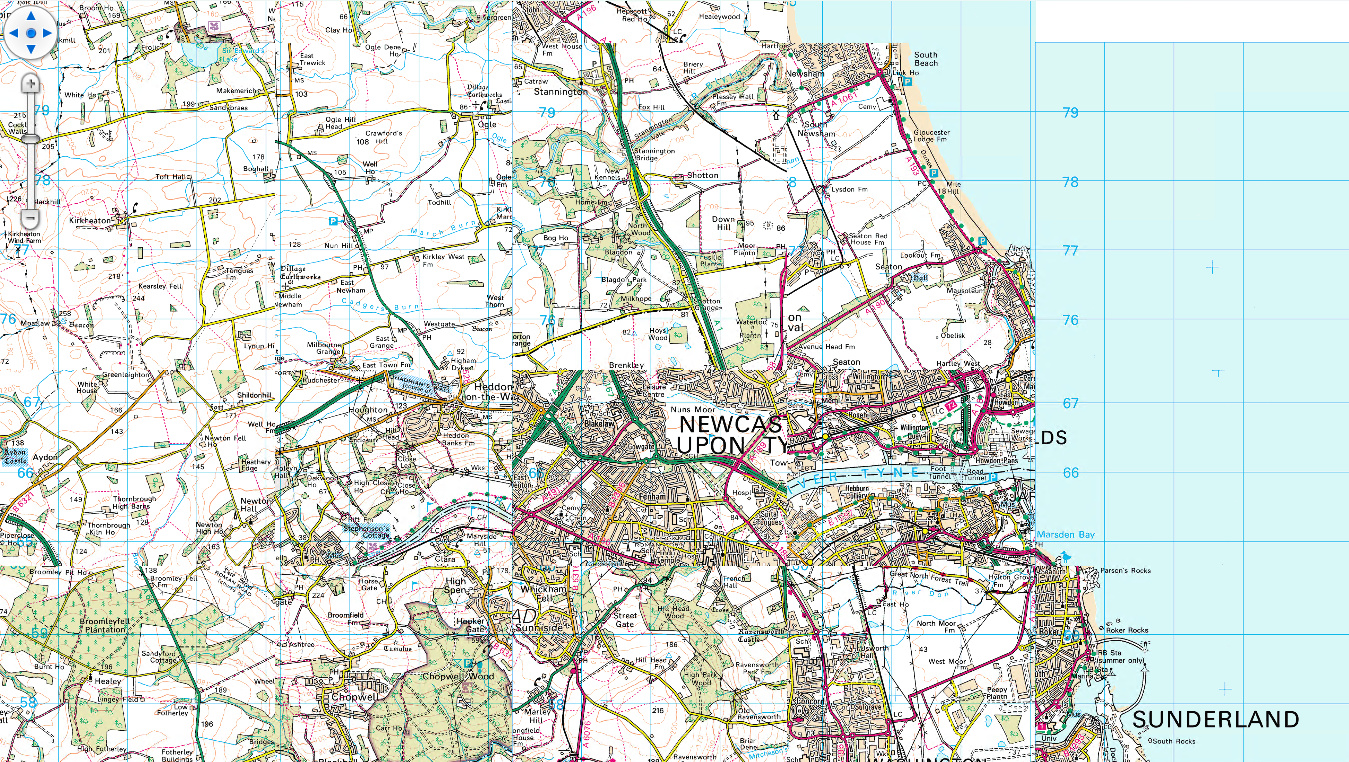
Some further information - on closer inspection, it looks like what it’s actually doing is missing out alternate tiles.

Cheers,
Jason.

Hi Jason,

This issue was recreated and fixed in the latest beta124. We were trying to support high-dpi image, but did it in a wrong way for WPFRasterLayer, that’s the cause of the issue.

If you don’t want to use beta versions:

  1. we can put this fix to the next release v14.5.5, which will be available by the end of this month.
  2. Retag your imagery to 96 DPI. This is metadata only — it does not touch a single pixel or affect georeferencing.
// First check what you actually have:
     exiftool -XResolution -YResolution *.tif
// Then, on a copy of the data:
     exiftool -XResolution=96 -YResolution=96 -ResolutionUnit=inches -overwrite_original *.tif

Thanks,
Ben

Hi Ben, appreciate the quick response as always.
Our customers supply their own mapping data so retagging the DPI isn’t a good option for us - our preference would be to wait for the fix in 14.5.5 - sorry to be a pain.

Many thanks,
Jason.

No problem at all! This fix will be in v14.5.5.

Thanks,
Ben