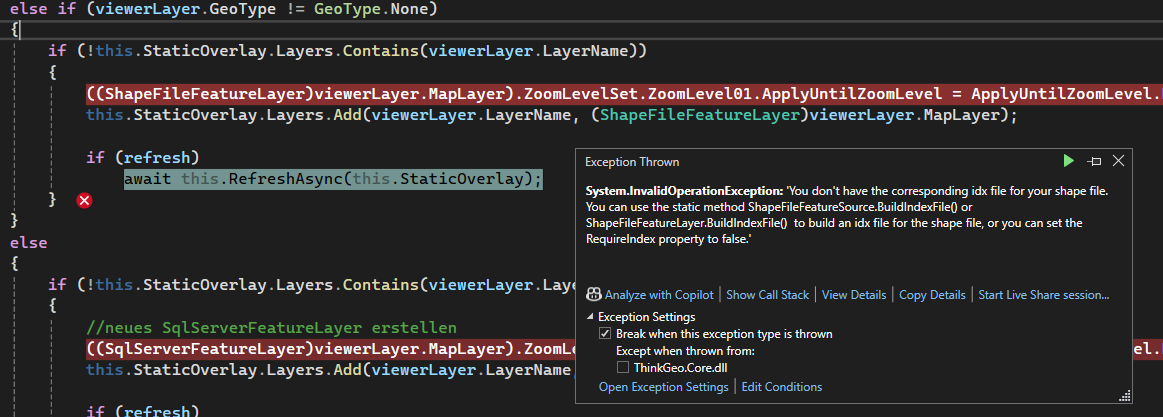
Hi Ben, I get the following exception:
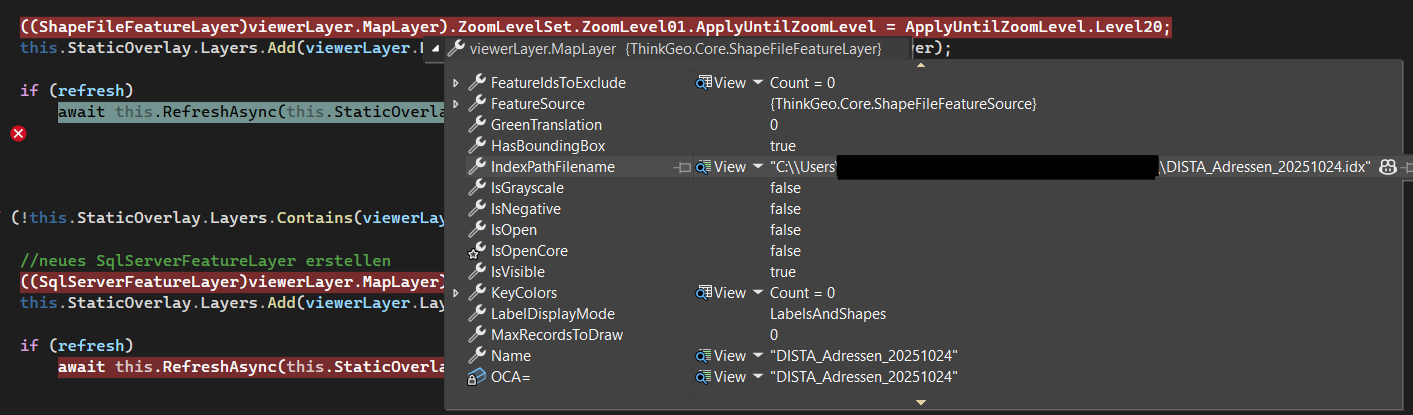
However, the IndexPathFilename is set when inspecing the ShapeFile:
Using ShapeFileFeatureLayer.Rebuild(FilePath); gives me the same exception.

Hi Ben, I get the following exception:
However, the IndexPathFilename is set when inspecing the ShapeFile:
Using ShapeFileFeatureLayer.Rebuild(FilePath); gives me the same exception.
hi @Julian_Thoms,
That’s really weird, could you upload your shapefile, idx, ids, dbf and shx files? I’d like to firgure it out.
And you could use the following code to skip idx file as a workaround.
shapeFileFeatureLayer.RequireIndex = false;
Regards,
Leo
Hi Leo, I think I got it. The provided shape files didn’t actually have an .ids and .idx etc. files, only
.cpg .dbf .prj .sbn .sbx .shp .shx and .shp.xml
Would it be best practice to check whether an .idx file exists and then call BuildIndexFile? I was tripped up because it showed me the IndexPathFilename as if it existed, but I assume it’s just set automatically even if it doesn’t exist?
hi @Julian_Thoms,
Yes, it’s better to check if idx file exists. You could also call ShapeFileFeatureLayer.BuildIndexFile(“your/shapefile/path”, BuildIndexMode.Rebuild); to rebuild it regardless of whether an idx file already exists.
We recommend using the .idx file, as it can improve performance.
Regards,
Leo