But then I click into map to mark points I’m getting a exception which says “The given key was not present in the dictionary”.
Would you please be kind enough to give me instruction on how to set a column and TextStyle to mark some text near point using _winformsMap.TrackOverlay.
I was able to make this work using a new InMemoryFeatureLayer as InMemoryFeatureLayer _pointLayer = new InMemoryFeatureLayer(columns, new Feature[] { }); I’m not sure why i need to add Feature[] into constuctior.But onthe other side i need to use only _winformsMap.TrackOverlay.TrackShapeLayer for this application. So I can’t use a new InMemoryFeatureLayer.
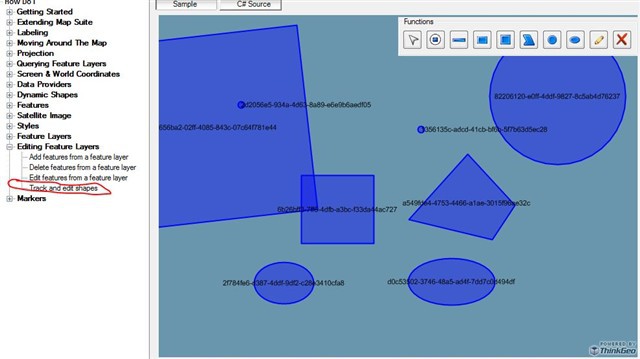
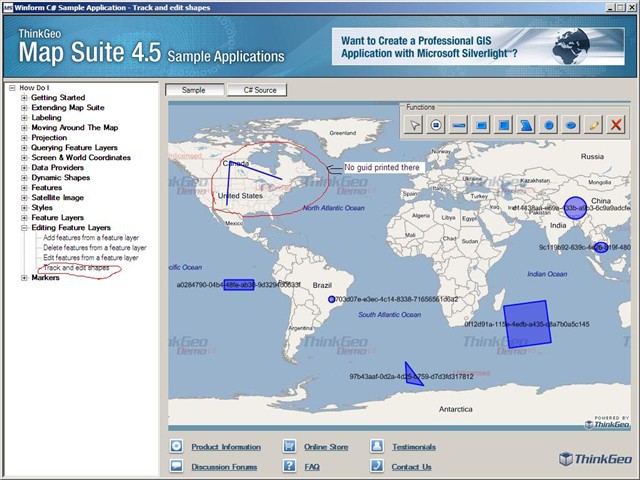
Thanks for your reply and I tested this as you said. It’s working fine when drawing a point. But it throws same exception ("The given key was not present in the dictionary.") when I try to draw any other shape. I can’t see guid printed for others shapes as screenshot provided by you.
What is the reason for this? My thinkGeo version is 3.0.0.0. and have attached my TrackAndEditShapes.cs file for your reference.
I am sorry to say that I could not download the .cs file you provided, so I cannot recreate the problem you mentioned, could you uploaded it again if you want? While when I tested the code provided by James, it works perfectly. I attached the whole .cs file, hope it helps. Also, is it possible that you take a try against our latest public release on Nov 1st?
Any more questions please do not hesitate to let me know.
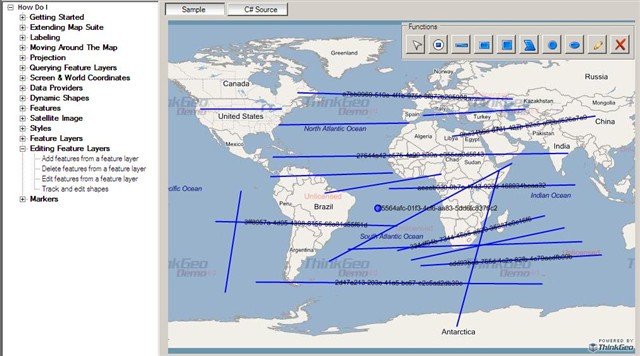
I downloaded version 4.5 and its working fine with that version. So that I can assume It should be a bug of version 3. But in new version I can’t see guid printed for lines but it print for all other symbols. But its better it doesn’t give any exceptions.
But my next step is to print text with lines also :( Any idea for that?