ThinkGeo.com    |     Documentation    |     Premium Support

Layer transparency applies after layer rendered on zoom

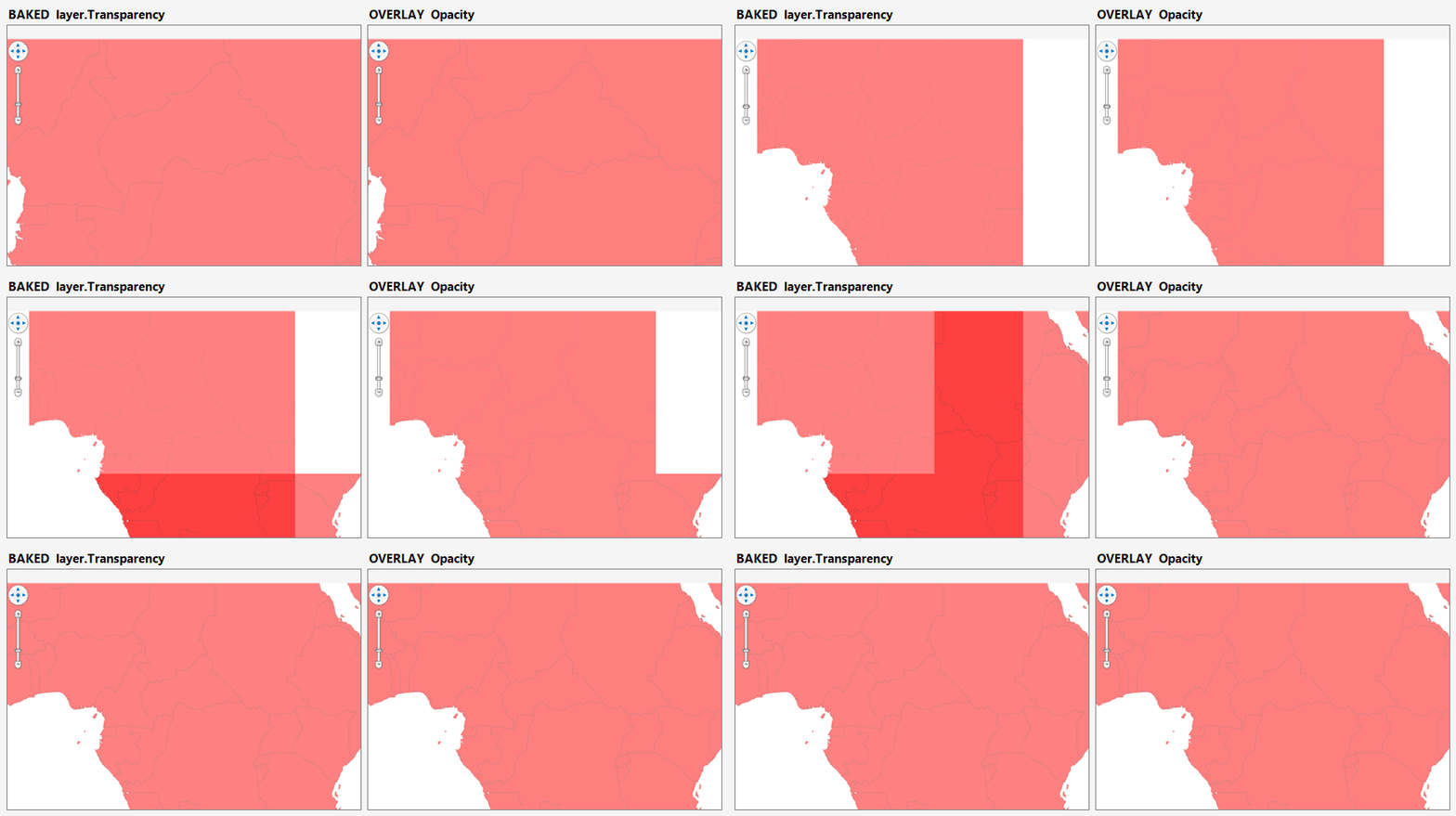
Hi, when we set a transparency (50%) on a layer, on every zoom the transparency only applies after a few seconds. So, I zoom, it renders as 0% transparent, then rerenders as 50% transparent.

Is this a known issue? I can provide more details, just let me know what you need.

Thanks!
J

Hi Julian,

Yes, it’s a known issue.

Cause: when Transparency is set on a layer, it’s baked into each tile. On zoom, the map keeps the old tiles under the new ones until the redraw finishes, so two semi‑transparent copies briefly overlap and stack — looking more opaque until the old tiles drop and it settles back to 50%.

Workaround: set the opacity on the overlay instead of the layer (leave the layer opaque):

var overlay = new LayerOverlay();
overlay.Layers.Add(worldLayer);   // no Transparency on the layer
overlay.Opacity = 0.5;            // 50% applied once to the whole overlay
mapView.Overlays.Add(overlay);

WPF applies the overlay’s Opacity as a single group, so overlapping tiles no longer stack — transparency stays a steady 50% through the zoom, no flash.

Thanks,
Ben

Hi Ben, thanks for your quick response.

Sadly the workaround will not work for us, as we have many different layers in an overlay and any amount can have any amount of opacity - which would mean we’d have to make every layer an overlay.

Any other idea? Or do you guys plan on fixing this? I already got feedback from multiple users that it looks very bad.

Based on the described behavior, this appears to be a compositing issue in the tile-transition pipeline rather than a limitation of layer transparency.

During zooming, ThinkGeo displays the stretched tile generation from the previous extent and places completed tiles from the new generation above it. Because both contain the same semi-transparent layer content, their alpha values are composed together. For example, two 50%-opaque copies result in approximately 75% effective opacity.

The renderer should ensure that the old and new generations never cover the same screen pixel.

Two possible implementations would be:

  1. Render the next MultiTile generation into a separate hidden container and atomically replace the previous container only after all required viewport tiles are ready.
  2. Continue displaying tiles progressively, but when a new tile is added, simultaneously clip or remove the corresponding screen rectangle from the old stretched generation.

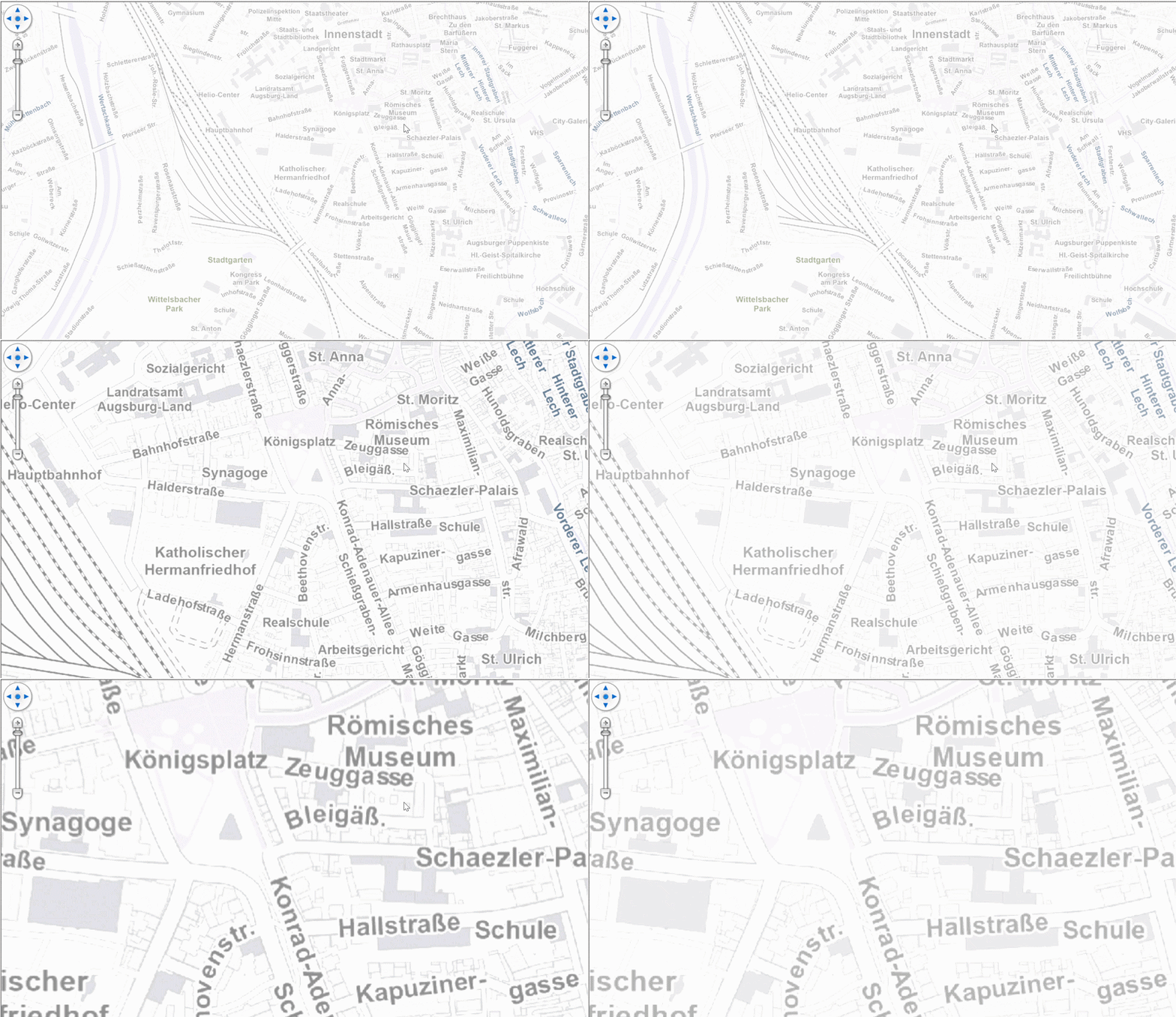
Hi Julian,

Thanks for the reply! Regarding your 2 suggestions:

  1. Replace old tiles after all required viewport tiles are ready.

    That’s what our SingleTile mode already does: it renders the entire viewport off-screen as one image and swaps it in atomically, so two semi-transparent generations never overlap on screen. The trade-off is: it gives up per-tile parallel rendering and cached-neighbor reuse on pan, and draws one large bitmap per refresh, so on big viewports or heavy vector layers you’ll see slower redraws and higher memory.

    Set overlay.TileType = TileType.SingleTile; to have a try.

  2. The progressive-clip idea

    When one old tile becomes four new tiles (after zooming in) and only one has arrived, handling the whole old tile is a lose-lose: keep it visible and that quadrant shows two stacked semi-transparent copies (the flash); hide it and the other three quadrants show the map background (a gap). We were thinking of clipping out just the exact sub-rectangle each new tile covers and accumulate that per arriving tile, but that’s fragile and expensive to keep correct, on a tile that’s simultaneously being stretched/rotated during the zoom animation, possibly from a 2+ level coarser parent, with DPI scaling. So we’re setting this one aside.

  3. atomic swap at the “old-tile group” granularity.

    This hybrid approach I think would work: Render the new tiles off-screen as we do now, but group them by the old tile they replace. Only when a whole group is ready do we remove the old tile and add its new tiles in the same UI update. This keeps updates progressive region-by-region (unlike SingleTile, which waits for the entire viewport), and it sidesteps all the clipping complexity above. We’ll gate it to semi-transparent overlays so opaque rendering and panning are completely unaffected.

  4. Render directly on Canvas
    Instead of rendering into off-screen tiles and compositing them, the features are drawn directly into the map. There are no separate tile generations to overlap, so the transparency-stacking problem simply go away. We already have an overlay that works this way, FeatureLayerWpfDrawingOverlay, though today it’s only suited to lightweight datasets. We’re building a new GPU-based rendering engine to bring the same tile-free approach to larger data, and we’re aiming to include it in v15.0.0, targeted for release in November.

We’ll implement #3, and keep you updated. Let me know if you have any questions.

Thanks,
Ben

1 Like