hi @Jimmy_Pun,
In your scanario, ArcGisServerRestVectorAsyncLayer is what you need. Here’s a sample for you.
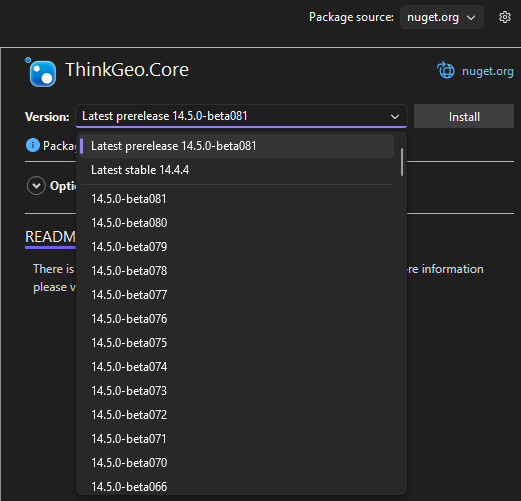
Note: ThinkGeo.Core 14.5.0-beta080 or higher is required.
ArcGisServerRestVectorAsyncLayer_Sample.zip (74.2 KB)
Regarding the offline support, we could implement a WmtsCacheHandler class to handle the caching logic.
Usage:
var wmtsLayer = new WmtsAsyncLayer("wmts_server_url");
wmtsLayer.HttpMessageHandler = new WmtsCacheHandler("WmtsCache",
                new HttpClientHandler() { AutomaticDecompression = DecompressionMethods.GZip | DecompressionMethods.Deflate });
WmtsCacheHandler.cs
public class WmtsCacheHandler : DelegatingHandler
{
    private readonly string _cacheRoot;

    public WmtsCacheHandler(string cacheFolder, HttpMessageHandler innerHandler)
        : base(innerHandler)
    {
        _cacheRoot = cacheFolder;
        if (!Directory.Exists(_cacheRoot)) Directory.CreateDirectory(_cacheRoot);
    }

    protected override async Task<HttpResponseMessage> SendAsync(HttpRequestMessage request, CancellationToken cancellationToken)
    {
        string url = request.RequestUri.ToString();
        bool isCapabilities = IsCapabilitiesRequest(url);

        // Create a specific path for the capabilities file
        // We hash the base URL to ensure different services don't overwrite each other
        string fileName = isCapabilities
            ? $"capabilities_{HashUrl(GetBaseUrl(url))}.xml"
            : HashUrl(url) + ".png";

        string filePath = Path.Combine(_cacheRoot, fileName);

        // Check Offline Cache
        if (File.Exists(filePath))
        {
            var bytes = await File.ReadAllBytesAsync(filePath, cancellationToken);
            var response = new HttpResponseMessage(HttpStatusCode.OK)
            {
                Content = new ByteArrayContent(bytes)
            };

            if (isCapabilities)
            {
                // Explicitly set the content type to XML
                response.Content.Headers.ContentType = new System.Net.Http.Headers.MediaTypeHeaderValue("text/xml");

                // IMPORTANT: Ensure the "Content-Encoding" header is NOT set to "gzip"
                // because the file on disk is already decompressed now.
                response.Content.Headers.ContentEncoding.Clear();
            }
            else
            {
                response.Content.Headers.ContentType = new System.Net.Http.Headers.MediaTypeHeaderValue("image/png");
            }

            return response;
        }


        var webResponse = await base.SendAsync(request, cancellationToken);

        if (webResponse.IsSuccessStatusCode)
        {
            var data = await webResponse.Content.ReadAsByteArrayAsync(cancellationToken);
            await File.WriteAllBytesAsync(filePath, data, cancellationToken);
        }

        return webResponse;
    }

    private bool IsCapabilitiesRequest(string url)
    {
        // Check for KVP (Key-Value Pair) style: ?request=GetCapabilities
        // Or RESTful style: /WMTSCapabilities.xml
        return url.Contains("GetCapabilities", StringComparison.OrdinalIgnoreCase) ||
               url.EndsWith("WMTSCapabilities.xml", StringComparison.OrdinalIgnoreCase);
    }

    private string GetBaseUrl(string url)
    {
        return url.Split('?')[0];
    }

    private string HashUrl(string url)
    {
        // Simple MD5 or SHA hash to turn a long URL into a safe filename
        using var md5 = System.Security.Cryptography.MD5.Create();
        byte[] inputBytes = System.Text.Encoding.ASCII.GetBytes(url);
        byte[] hashBytes = md5.ComputeHash(inputBytes);
        return Convert.ToHexString(hashBytes);
    }
}
Regards,
Leo