ThinkGeo.com    |     Documentation    |     Premium Support

ScaleLineAdornment anchoring

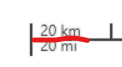
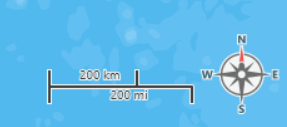
I have a scaleLineAdornment that I’m putting in the bottom right hand corner of the map. I’m looking to see if it was possible to have the adorner anchored to a fixed position on the right side. Right now it looks it’s anchored to the left, so when the scale increases in length it gets longer to the right.

  1. I’d like to either anchor it to right so that it grows on the left or
  2. I’d like to set a fixed width which doesn’t appear to be supported.

Any tips/insights would be appreciated,

T
hi @Tango_Papa,

Thanks for reporting this issue, I’ve fixed it.

Could you please upgrade to ThinkGeo.Core 14.4.0-beta110 and give it a try?

Regards,
Leo

Thanks. I’ll see if I can give it a try. On another note, the text also doesn’t seem to anchor to the left properly either. In the screenshot I had to add some additional offset so that the text doesn’t go over the left edge of the scale at different zooms. In addition, the top and bottom texts don’t line. It would be desirable for the text to act the same way as it does by default (left edge and aligned on the top and bottom). The padding from the center line also doesn’t appear to be same with the bottom text a little closer to the line. Is there any way to do that?

image

hi @Tango_Papa,

Thanks for your feedback about the text alignment. We always appreciate ideas that make our products better.

I’ve implement it in the latest beta package(ThinkGeo.Core 14.4.0-beta110 or newer). You could use the following code to align text to left.

Note: Lower/Upper doesn’t work here.
Left, LowerLeft and UpperLeft will align the text to left
UpperRight, LowerRight and Right will align the text to right
others will align the text to center.

scaleLineAdornmentLayer.TextStyle.TextPlacement = TextPlacement.Left;

Regards,
Leo

Hey @Leo_Liu, finally got around to testing it and it looks good. I wanted to see if there was a way for me to adjust the top and bottom padding/margin of the top and bottom labels respectively. Can the two labels be styled independently?

image

Hi @Tango_Papa,

Just added the following properties for you, pull the latest 14.5.0-beta029 and have a try.

    // For the margin
    scaleLineAdornmentLayer. AboveLabelMargin
    scaleLineAdornmentLayer. BelowLabelMargin

    // For styling the label above
    scaleLineAdornmentLayer. AboveLabelBrush
    scaleLineAdornmentLayer. AboveLabelFont

    // For styling the label below
    scaleLineAdornmentLayer. BelowLabelBrush
    scaleLineAdornmentLayer. BelowLabelFont

Thanks,
Ben

Thanks Ben,

How would I set these properties now?

scaleLineAdornment.TextStyle.HaloPen = new GeoPen(new GeoSolidBrush(GeoColor.FromHtml("#F4F5F5")), 2.5f);
scaleLineAdornment.TextStyle.TextPlacement = TextPlacement.LowerLeft;
scaleLineAdornment.TextStyle.TextLineSegmentRatio = 5f;

ok, in that case maybe it’s easier just have AboveLabelStyle and BelowLabelStyle. Let us talk about it and will let you know once added.

Hi @Tango_Papa

  1. We’ve added AboveLabelTextStyle and BelowLabelTextStyle .
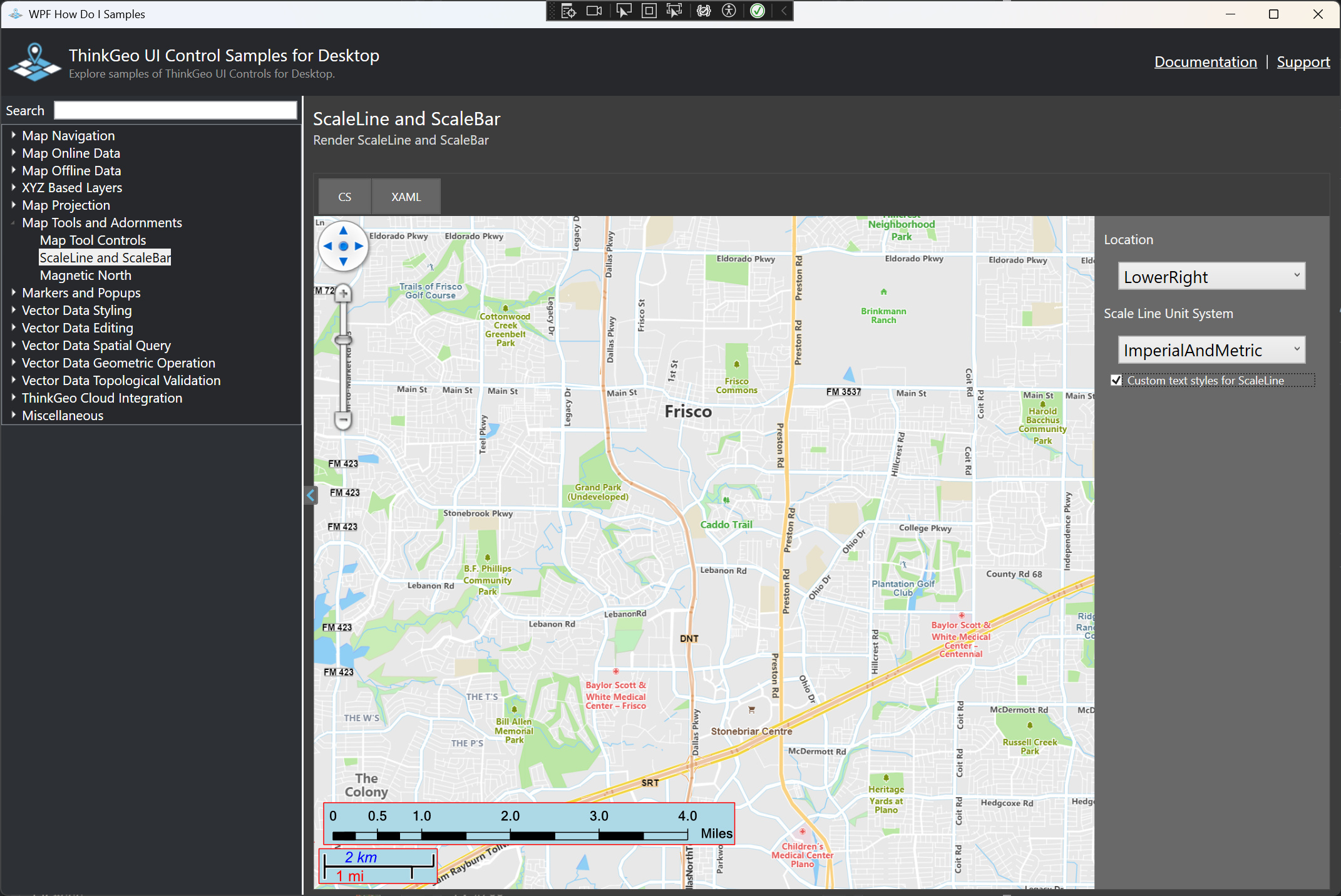
  2. We’ve updated AdornmentOverlay to inherit from WpfDrawingOverlay , making it more responsive, sharper on high-resolution displays, smoother during map panning, and able to take advantage of hardware acceleration. Check out the sample below to see what I mean here :slight_smile:
  3. Pull the latest HowDoI sample dev branch, navigate to Map Tools and Adornments → ScaleLine and ScaleBars , and enable the checkbox on the right to see how the demo ScaleLine renders different styles for the above and below labels.

Thanks,
Ben