
ThinkGeo.com    |     Documentation    |     Premium Support

Selecting and moving features on the Map after adding them

In the desktop version to select and move features on the map we essentially added them to the EditInteractiveOverlay on mouse down and removed them on mouse up. That overlay does not exist in the Web version. I attempted to add them to EditOverlay features but got errors. What is a better way to accomplish this? Also, we had a custom EditInteractiveOverlay that allowed us to add select and move multiple features while holding down the control key, I would like to duplicate this functionality as well. I have attached my current source.

Thanks,
James R.

MapTestBlazor2.zip (242.7 KB)
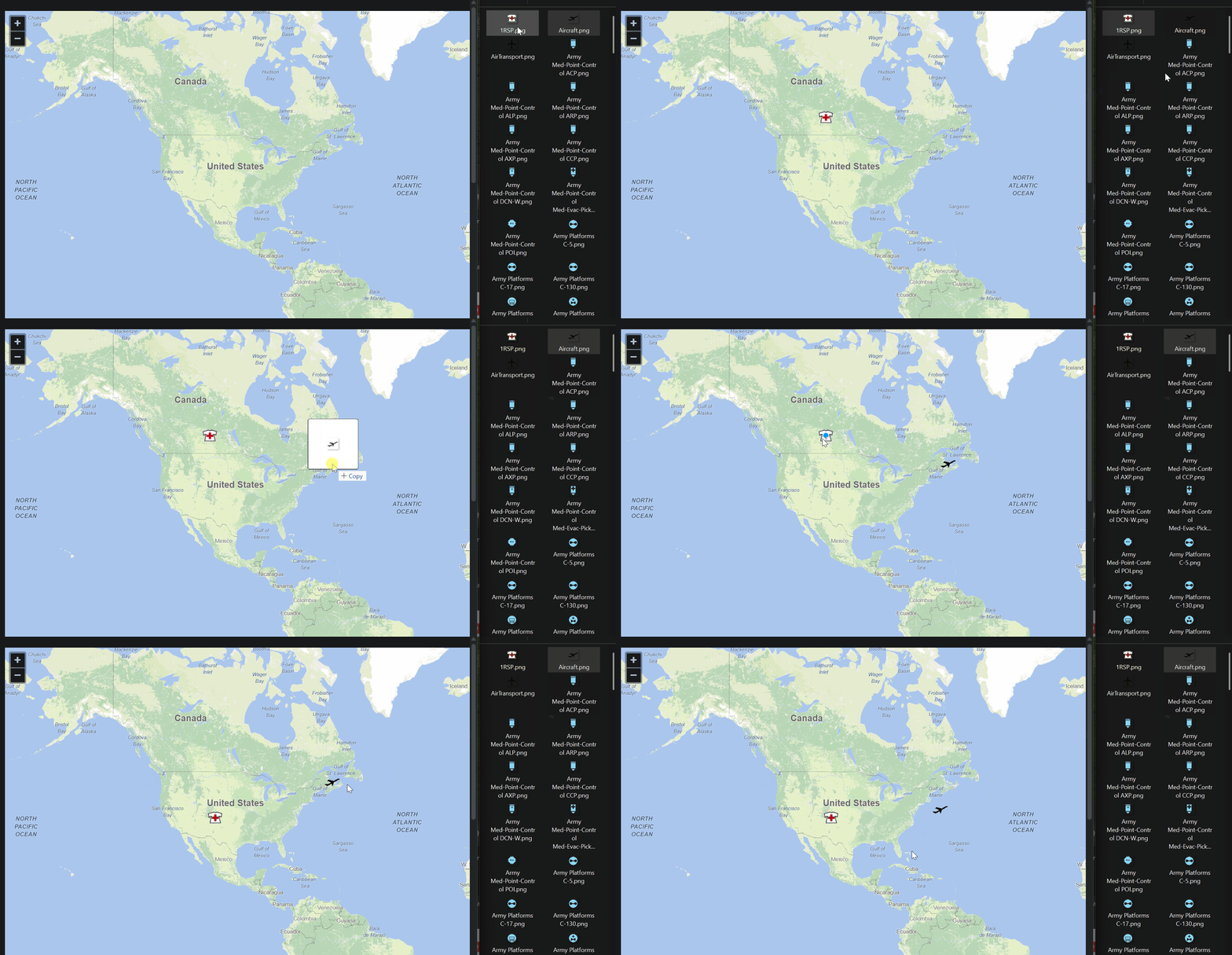
Right, Blazor’s EditOverlay doesn’t have the same level of support as the one in Desktop. Let us dig in and see what we can do to improve it.

Is this something we could expect by the time 15 releases? Currently the lack of .NET 10 support is holding up the move to the Blazor component. We are considering this with the GIS Server product as our option moving forward. The users being able to manipulate things that are placed on the map is key to that solution.

Thanks,
James

Hi James,

  1. ThinkGeo.UI.Blazor is on .NET 8, which can also be used in a .NET 10 project. So do you mean your project cannot use it unless it natively supports .NET 10? We can make it natively support both .NET 8 and .NET 10 in the next major release (this May)

  2. And yes, we would include the improved EditOverlay in the May release as well. In fact, we’ve already started working on it. You will see this feature in beta branch pretty soon.

  3. Just wondering by “GIS Server product” do you meant ThinkGeo.GisServer (https://gitlab.com/thinkgeo/public/thinkgeo-gis-server)? Let us know if you have any questions about it.

Thanks,
Ben

Ben,

Yes, I am aware that it will technically run with .NET 10, but we have other items to complete first and it makes more sense to wait until version 15. The updated EditOverlay will make it that much better. Due to the nature of our product, we prefer to work with non-betas. Although once those changes are available, I will re-evaluate.

Yes ThinkGeo.GisServer is what I meant. I have seen the demo. We will need that or something similar to provide maps. That is another evaluation I will have to make. If there a beta of it that I can use to build something that would be great. What I have seen appeared to be just a demo of potential uses.

Thanks
James R.

Hi James,

Regarding ThinkGeo.GisServer, we are planning to release it in V15 as well. It is for serving the backend data through GIS services (MVT/XYZ/WMS/WMTS/GeoJson/WFS), we will for sure add more samples, but you probably not see a sample showing how to move around/edit a feature on the client side. ThinkGeo.GisServer beta is available on Nuget, have a try if you have a chance and just let us know what features you think are missing, and we can make them happen.

Thanks,
Ben

Ben,

I think if you get it to where it is similar to how Desktop works, I can figure it out how to move and edit objects in Blazor. It would also be nice to have an option to select multiple features so they can be moved as a group. We currently do that by holding the CTRL + Key and drawing a box around features or selecting them one at time with a custom EditInteractiveOverlay.

I will see if I have time to dig into the GisServer beta next week and see what it can do.

Thanks,
James R.

Thanks for the context, James.

We’ll take a closer look at improving the Blazor editing experience to better align with Desktop workflows. While Blazor’s current EditOverlay doesn’t yet match Desktop’s level of interactivity, we’re actively working on enhancements that will bring it closer and make these interactions more intuitive. We’ll keep you posted.