
ThinkGeo.com    |     Documentation    |     Premium Support

Tif breaks on latest beta build

Hi, we are loading in a .tif using GeoTiffGdalRasterLayer.
Since the newest beta v15.0.0-beta094 it breaks with:

System.TypeInitializationException: The type initializer for ‘ThinkGeo.Core.GdalRasterLayer’ threw an exception.
—> System.ApplicationException: Can’t find requested entry point: RegisterOGRwrap
at OSGeo.GDAL.Gdal.AllRegister()
at ThinkGeo.Core.GdalManager.ConfigureGdal()
at ThinkGeo.Core.GdalRasterLayer…cctor()
— End of inner exception stack trace —
at ThinkGeo.Core.GdalRasterLayer…ctor()
at ThinkGeo.Core.GeoTiffGdalRasterLayer…ctor(String imagePath, String worldFilePath)
at ThinkGeo.Core.GeoTiffGdalRasterLayer…ctor(String imagePath)
at Agk.Viewer.Presentation.Map.LayerTypes.ViewerImageLayer…ctor(IViewerLayer layer)
at Agk.Viewer.Presentation.Map.LayerTypes.ViewerLayerFactory.CreateRuntimeLayer(IViewerLayer layer, Boolean buildShapefileIndex)

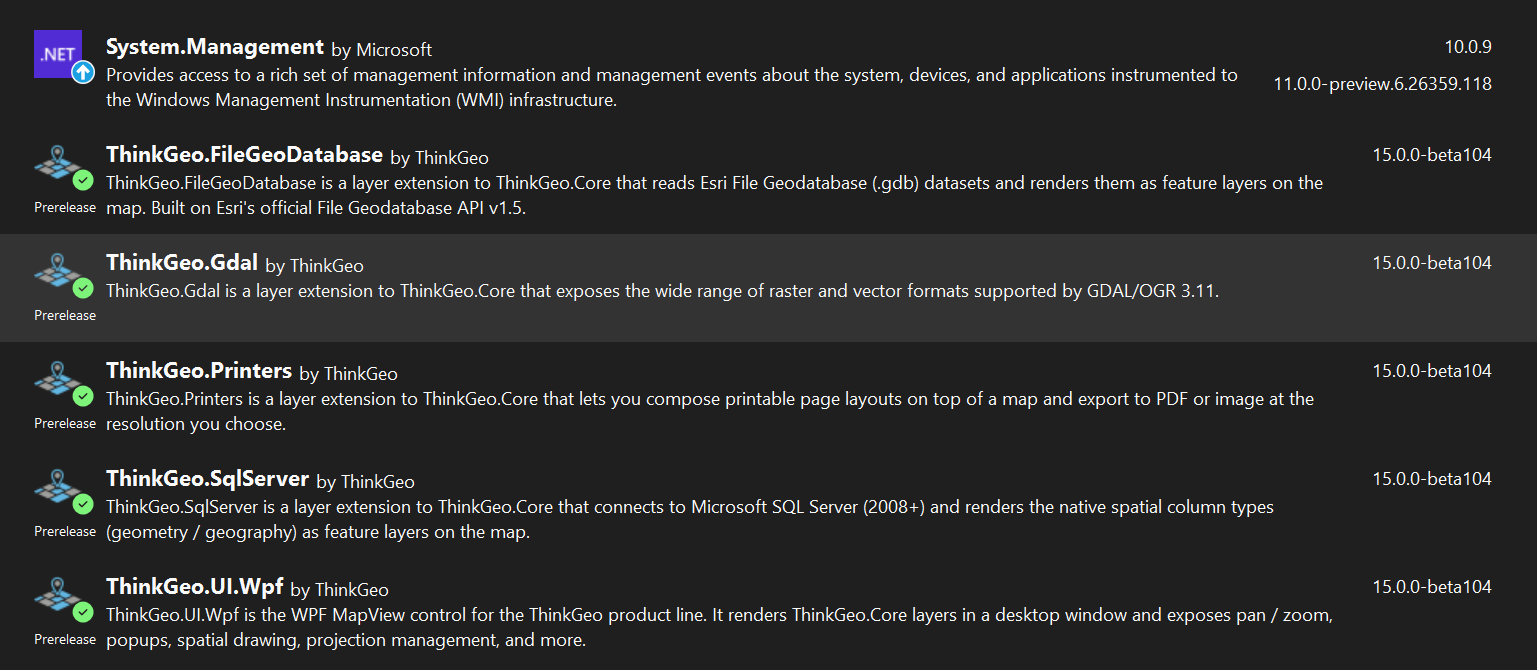
Hi Julian,

This was a regression introduced in v15.0.0‑beta085 (in how the GDAL native driver path was resolved). It’s fixed in v15.0.0‑beta097 — please pull the latest and have another try.

Thanks,
Ben

Hi Ben, thanks for the quick fix, sadly our program now crashes whenever I try to load in a .tif with a System.ExecutionEngineException on

 MapLayer = new GeoTiffGdalRasterLayer(FilePath);
[System.ExecutionEngineException unhandled]	
[Managed to Native Transition]	
gdal_csharp.dll!OSGeo.GDAL.Gdal.AllRegister()	Unknown
ThinkGeo.Gdal.dll!ThinkGeo.Core.GdalManager.ConfigureGdal()	Unknown
ThinkGeo.Gdal.dll!ThinkGeo.Core.GdalRasterLayer.GdalRasterLayer()	Unknown
[Native to Managed Transition]	
[Managed to Native Transition]	
ThinkGeo.Gdal.dll!ThinkGeo.Core.GdalRasterLayer.GdalRasterLayer()	Unknown
ThinkGeo.Gdal.dll!ThinkGeo.Core.GeoTiffGdalRasterLayer.GeoTiffGdalRasterLayer(string imagePath, string worldFilePath)	Unknown
ThinkGeo.Gdal.dll!ThinkGeo.Core.GeoTiffGdalRasterLayer.GeoTiffGdalRasterLayer(string imagePath)	Unknown

Hi Julian,

We couldn’t exactly recreate the issue, but it seems to be a different issue that the beta094 bug had been hiding: it’s the signature of a second GDAL build getting resolved inside your process — for example natives shipped alongside your application, an OSGeo4W / “C:\Program Files\GDAL” style install, or another GDAL-based component that loads first. On beta094, GDAL initialization aborted early with the RegisterOGRwrap error, so it never got far enough to hit that conflict; beta097 fixed that error, which let initialization run into the conflict and crash natively.

We’ve made some improvements in v15.0.0-beta101: ThinkGeo now pins its own bundled GDAL natives by full path before anything else touches GDAL. With that in place, a mismatched GDAL can no longer be picked up silently — and if a conflicting GDAL really is loaded into the process before ThinkGeo initializes, you’ll now get a regular, catchable exception that names the exact DLL path involved, instead of an uncatchable native crash.

Could you upgrade to beta101 and try again?

  • If it just works — great, you’re done.
  • If you see the new exception, the message contains the full path of the conflicting DLL — paste it here and we’ll tell you the best way to resolve it.
  • If it still crashes without that message, please let us know whether your app runs x86 or x64, and the file paths of all gdal*.dll entries in Visual Studio’s Debug → Windows → Modules at the moment of the crash.

Thanks,
Ben

Hi Ben, sorry but I stil get the same crash

[System.ExecutionEngineException unhandled]	
[Managed to Native Transition]	
gdal_csharp.dll!OSGeo.GDAL.Gdal.AllRegister()	Unknown
ThinkGeo.Gdal.dll!ThinkGeo.Core.GdalManager.ConfigureGdal()	Unknown
ThinkGeo.Gdal.dll!ThinkGeo.Core.GdalRasterLayer.GdalRasterLayer()	Unknown
[Native to Managed Transition]	
[Managed to Native Transition]	
ThinkGeo.Gdal.dll!ThinkGeo.Core.GdalRasterLayer.GdalRasterLayer()	Unknown
ThinkGeo.Gdal.dll!ThinkGeo.Core.GeoTiffGdalRasterLayer.GeoTiffGdalRasterLayer(string imagePath, string worldFilePath)	Unknown
ThinkGeo.Gdal.dll!ThinkGeo.Core.GeoTiffGdalRasterLayer.GeoTiffGdalRasterLayer(string imagePath)	Unknown

Agk.Viewer.Presentation.dll!Agk.Viewer.Presentation.Map.LayerTypes.ViewerImageLayer.ViewerImageLayer(Agk.Viewer.Interface.Presentation.IViewerLayer layer) Line 41 C#

The app runs in x64 only

ThinkGeo.Gdal.dll C:\Users\julian.thoms\Desktop\Projekte\NEUAGK\agk\bin\Debug\ThinkGeo.Gdal.dll Yes No Binary was not built with debug information. 174 15.0.0-beta101 000002B5D2EA0000-000002B5D2EB4000 [17636] Agk_Viewer.exe [1] clrhost
gdal_csharp.dll C:\Users\julian.thoms\Desktop\Projekte\NEUAGK\agk\bin\Debug\gdal_csharp.dll Yes No Skipped loading symbols. 175 3.11.3.0 000002B5D2EC0000-000002B5D2EF0000 [17636] Agk_Viewer.exe [1] clrhost

Hi Julian,

  1. In your bin\Debug\ folder (and any subfolders like runtimes\win-x64\native), do you have any of these native gdal dlls?
  • gdal.dll
  • gdal_wrap.dll
  • ogr_wrap.dll
  • osr_wrap.dll
  1. Is your project using the new SDK-style .csproj format (the file starts with ) or the old legacy format (starts with <Project ToolsVersion=…)?

My suspicion is that if your project uses the old-style .csproj targeting .NET Framework, the native DLLs from the ThinkGeo.Gdal.Dependency.Windows package might not be copied to your output directory automatically — it should work but the NuGet sometimes handles native content incorrectly in legacy projects. Without those files present, ThinkGeo falls back to whatever gdal.dll the OS can find on your PATH (OSGeo4W, QGIS, etc.), and a version mismatch there causes the crash.

If that turns out to be the case, the fix is either migrating to an SDK-style project, or adding a post-build step to copy the natives manually. I’d recommend upgrading to the SDK-style project anyway – it will save you a lot of potential trouble.

Thanks,
Ben

Hi, it’s an SDK style .NET10 project, we migrated a year ago.

Yes, in the bin\Debug folder all 4 native gdal dlls exist.

Any chance you can send over your bin folder to support@thinkgeo.com?

Are you going to run the project or just inspect it?

It requires a lot of setup with a db etc. to actually open

Just the bin folder should be fine, we don’t need to have it run.

Sent the Debug folder, if you need anything else let me know

Hi Ben, just letting you know: We built a release and I tried it on my PC and it did not work (same exception).

We then moved it to a different PC and it worked (same folder).

We have no idea why. .tifs worked for me until a few releases ago as well. So the Debug folder might not help much?

I went to a known working build, deleted obj and bin and rebuilt - and I still get the same exception.

I am at a loss, as I havent changed anything in this regard. Any ideas?

Hi Julian,

Your bin folder looks good. I think it’s because your machine has another GDAL-based application installed (QGIS, ArcGIS, FME, OSGeo4W, or similar). That software places its own gdal.dll / gdal_wrap.dll on the system PATH or loads them early in the process. When one of the assemblies in your project triggered the GDAL managed bindings before GdalManager had a chance to initialize, the OS loader picked up that foreign gdal.dll instead of ThinkGeo’s bundled copy. A version mismatch between the foreign native core and our managed wrappers caused the uncatchable ExecutionEngineException inside Gdal.AllRegister().

We’ve made some improvements in the latest beta104: On .NET 8 (and later), GdalManager now registers a NativeLibrary.SetDllImportResolver on all three GDAL managed assemblies (gdal_csharp, ogr_csharp, osr_csharp). This intercepts every P/Invoke at call time and redirects it to ThinkGeo’s bundled native set, regardless of what is already loaded in the process — closing the load-order timing gap that caused the crash. Your application is on .NET10, it should go this way and load the correct dependencies.

On .NET Framework the existing LoadLibraryEx pre-loading path is unchanged (it still wins when GdalManager initializes before any other code touches the GDAL bindings).

Let me know if there’s still an issue with beta104.

Thanks,
Ben

Hi Ben, thanks for your help on this.

I thought the same and already checked the system paths and couldnt find anything. I also tried with the latest beta104 (clean build just to be save) and still get the same exception.

Any other ideas we can try?

Hi Julian,

Can you go to: Visual Studio → Debug → Windows → Modules(it only shows up when F5 debugging the project), filter for “gdal”, and let me know which gdal.dll path is actually loaded — that would confirm whether the DLL conflict is involved at all. Something like following:

Also please make sure you are using beta104 and .NET 10, and try the following:

Step 1 — make sure initialization runs first

Add an explicit call at the very top of your App() constructor or Main(), before anything else:

ThinkGeo.Core.GdalManager.ConfigureGdal();
ThinkGeo.Core.GdalManager.ConfigureOgr();

Step 2 — if you still get a crash after Step 1

Temporarily rename the folder runtimes\win-x64\native\gdalplugins to gdalplugins_disabled and run again.

  • If the crash goes away: one of the optional format plugins (gdal_HDF5, gdal_PDF, gdal_ECW_JP2ECW, etc.) is crashing on your machine. Let us know and we can narrow down which one.
  • If it still crashes: the problem is in the core GDAL initialization, not the plugins. Please share the exact exception type from the Event Log or a debugger — an ExecutionEngineException and an InvalidOperationException point to very different root causes.

Thanks,
Ben

Using beta104 + .NET 10:

I already provided the moduls, but here:

ThinkGeo.Gdal.dll C:\Users\julian.thoms\Desktop\Projekte\NEUAGK\agk\bin\Debug\ThinkGeo.Gdal.dll Yes No Binary was not built with debug information. 160 15.0.0-beta104 0000021BB7430000-0000021BB7446000 [49332] Agk_Viewer.exe [1] clrhost
gdal_csharp.dll C:\Users\julian.thoms\Desktop\Projekte\NEUAGK\agk\bin\Debug\gdal_csharp.dll Yes No Skipped loading symbols. 162 3.11.3.0 0000021BB7450000-0000021BB7480000 [49332] Agk_Viewer.exe [1] clrhost

I added your Step 1, and it worked, which means one of the optional format plugins is crashing.

I then only added ConfigureGdal(); and it still worked.
I then only added ConfigureOgr(); and it still worked.

Removing both of them will cause the crash to appear again. Running either one fixes it.

Thanks for the debugging, we are making progress! :slight_smile:

Awesome!

Here’s what was happening: your machine has another GIS installation (QGIS, OSGeo4W, or similar) that loads its own gdal.dll into the process before ThinkGeo’s initialization runs. Once that happens, our bundled natives can’t displace it, and the version mismatch causes the crash.

Calling ConfigureGdal() or ConfigureOgr() explicitly at the very start of your app ensures ThinkGeo’s GDAL initializes first and pins the correct native libraries before anything else can interfere.

This is the reliable workaround until we can address the root cause (the naming conflict between our bundled gdal.dll and third-party GIS installations) at the native library level. We’ll document this in our known issues.

Thanks for working through the diagnostics with us!

Thanks,
Ben
