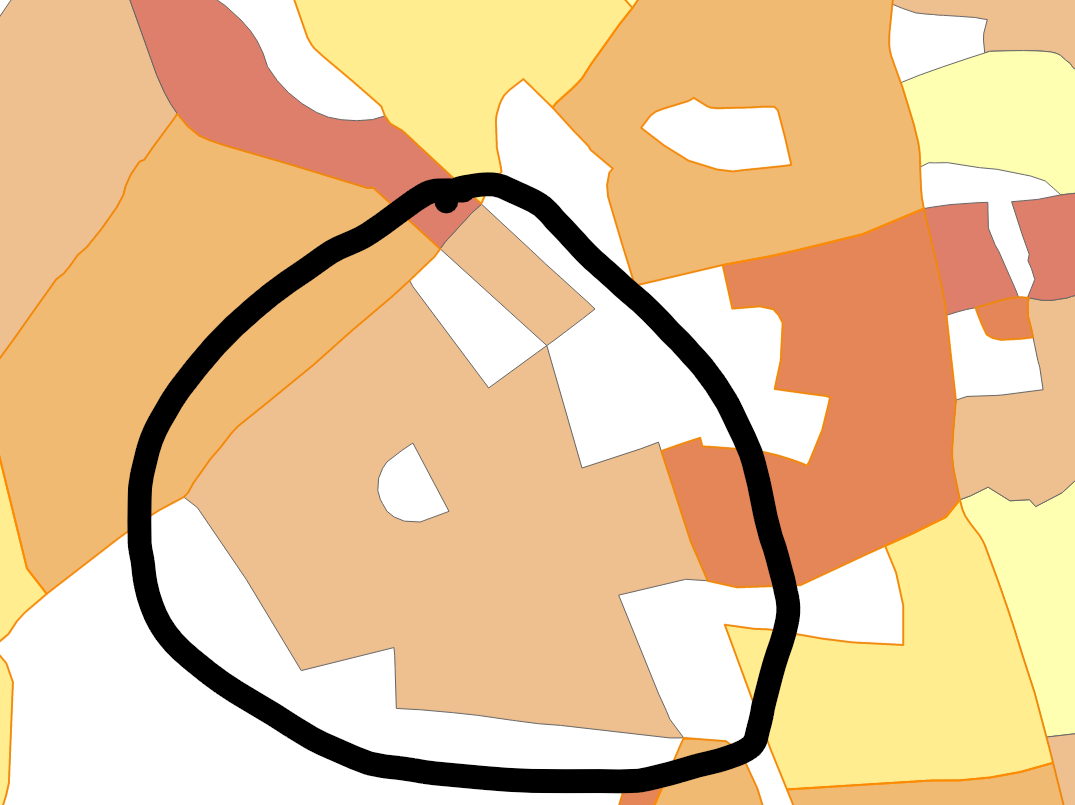
Hi Team, we have a polygon geometry. Sometimes when calling featureLayer.QueryTools.GetFeaturesContaining we get following exception:
NetTopologySuite.Geometries.TopologyException: ‘side location conflict [ (640100.1610000003, 5359061.3981) ]’
| - | $exception | {“side location conflict [ (640100.1610000003, 5359061.3981) ]”} | NetTopologySuite.Geometries.TopologyException | |
|---|---|---|---|---|
| + | Coordinate | {(640100.1610000003, 5359061.3981)} | NetTopologySuite.Geometries.Coordinate |
NetTopologySuite.dll!NetTopologySuite.GeometriesGraph.EdgeEndStar.PropagateSideLabels(int geomIndex)	Unknown
NetTopologySuite.dll!NetTopologySuite.GeometriesGraph.EdgeEndStar.ComputeLabelling(NetTopologySuite.GeometriesGraph.GeometryGraph[] geomGraph)	Unknown
NetTopologySuite.dll!NetTopologySuite.Operation.Relate.RelateComputer.LabelNodeEdges()	Unknown
NetTopologySuite.dll!NetTopologySuite.Operation.Relate.RelateComputer.ComputeIM()	Unknown
NetTopologySuite.dll!NetTopologySuite.Geometries.Geometry.Contains(NetTopologySuite.Geometries.Geometry g)	Unknown
ThinkGeo.Core.dll!ThinkGeo.Core.BaseShape.ContainsCore(ThinkGeo.Core.BaseShape targetShape)	Unknown
ThinkGeo.Core.dll!ThinkGeo.Core.FeatureSource.eR8=(ThinkGeo.Core.BaseShape targetShape, System.Collections.Generic.IEnumerable<string> returningColumnNames)	Unknown
ThinkGeo.Core.dll!ThinkGeo.Core.FeatureSource.SpatialQueryCore(ThinkGeo.Core.BaseShape targetShape, ThinkGeo.Core.QueryType queryType, System.Collections.Generic.IEnumerable<string> returningColumnNames)	Unknown
ThinkGeo.Core.dll!ThinkGeo.Core.FeatureSource.SpatialQuery(ThinkGeo.Core.BaseShape targetShape, ThinkGeo.Core.QueryType queryType, System.Collections.Generic.IEnumerable<string> returningColumnNames)	Unknown
ThinkGeo.Core.dll!ThinkGeo.Core.FeatureSource.SpatialQuery(ThinkGeo.Core.BaseShape targetShape, ThinkGeo.Core.QueryType queryType, ThinkGeo.Core.ReturningColumnsType returningColumnNamesType)	Unknown
ThinkGeo.Core.dll!ThinkGeo.Core.QueryTools.GetFeaturesContaining(ThinkGeo.Core.BaseShape targetShape, ThinkGeo.Core.ReturningColumnsType returningColumnNamesType)	Unknown
Agk.Viewer.Presentation.dll!Agk.Viewer.Presentation.ViewerFeatureQueryHelper.QueryNearestFeatureAtLocation(ThinkGeo.Core.FeatureLayer featureLayer, ThinkGeo.Core.PointShape queryLocation, int featureHitTestToleranceInMeters) Line 21 C#
Any help would be appreciated. If you need anything else, let me know.
Thanks
J