Hi,
Is there some way to use svg files as icons ?
GeoImage seems to support only png/jpeg. I did found some old topic where in example external library was used to convert svg to GeoImage. But what is the best way to do it nowadays ?
Br, Simo

Hi,
Is there some way to use svg files as icons ?
GeoImage seems to support only png/jpeg. I did found some old topic where in example external library was used to convert svg to GeoImage. But what is the best way to do it nowadays ?
Br, Simo
Hi Simo,
It’s build in 15.0.0-beta145 now with no external library. A PointStyle can draw its symbol straight from the d attribute of an SVG <path>:
var pinStyle = new PointStyle(
    "M12 2 C8.13 2 5 5.13 5 9 c0 5.25 7 13 7 13 s7-7.75 7-13 c0-3.87-3.13-7-7-7 z " +
    "M12 11.5 A2.5 2.5 0 1 1 12 6.5 A2.5 2.5 0 1 1 12 11.5 z",
    new GeoSolidBrush(GeoColors.Crimson),   // fill
    new GeoPen(GeoColors.Black, 1),         // outline
    48);                                    // size in pixels, longest side

layer.ZoomLevelSet.ZoomLevel01.DefaultPointStyle = pinStyle;
layer.ZoomLevelSet.ZoomLevel01.ApplyUntilZoomLevel = ApplyUntilZoomLevel.Level20;
You lift the d attribute out of your .svg file and hand it over — no conversion step.
Because it’s drawn rather than resampled, it stays sharp at any size, and it reaches
a printed PDF as real vector geometry instead of an embedded bitmap.
Two things worth knowing:
<path> elements.(Also, a small correction to your starting point: GeoImage does decode more than
png/jpeg — WebP, GIF, BMP and ICO work too. Just not SVG, which isn’t a raster format.)
Thanks,
Ben
Hi,
Once again, thanks for the fast support !
Br, Simo
You are always welcome!
Hi,
Did some testing with latest beta.
Is there any change to support the actual SVG document instead of only path data ? In our case SVG might contain styling which is not now possible to use with this new API.
When using external library to convert SVG to GeoImage those icons can be drawn like this:

But with new API and only path data it’s more like this:
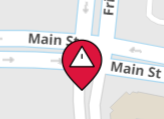
So we lose quite a bit of styling 
Br, Simo
Hi Simo,
Done — it’s in 15.0.0-beta150 now. A PointStyle now reads a whole SVG document and keeps
the color of every shape in it:
var pinStyle = PointStyle.CreateStyleFromSvgFile(@"icons\warning-pin.svg", 48);

layer.ZoomLevelSet.ZoomLevel01.DefaultPointStyle = pinStyle;
layer.ZoomLevelSet.ZoomLevel01.ApplyUntilZoomLevel = ApplyUntilZoomLevel.Level20;
Have a try and let me know if it works for you.
Thanks,
Ben
Hi,
Tested it with latest beta and it works.
But I noticed that some svg’s are not drawn correctly with this API. On the left svg is drawn using new API and on the right using conversion from svg to GeoImage with Svg.Skia:

Looks like that when using API line ends are connected ?
Used SVG content:
<svg xmlns="http://www.w3.org/2000/svg" width="40" height="40">
	<g stroke="#000">
		<path d="M13.5 7l3 3v12l-3 3M26.5 7l-3 3v12l3 3" fill="none" stroke-width="3"/>
	</g>
</svg>
Could you please check the reason ?
Br, Simo
Hi Simo,
That is a bug on our side, and it is fixed in beta151. Your SVG now matches Svg.Skia pixel for pixel in our comparison. Have a try see if it works for you.
Thanks,
Ben
Hi Ben, quick guidance, what icons are the “fastest” to render or is it irrelevant? We could update our icons to SVG if it makes any difference
Hi,
Tested with latest beta and now everything works as expected, thanks !
Br, Simo
Hi Julian,
Measured on beta152 — 20,000 points at 32 px:
bitmap (whatever it depicts)                 8.1 us/point
SVG, one filled shape                    4.0 - 5.2 us/point
SVG, one shape with curves                    13.7 us/point
SVG, one stroked shape with round caps        12.1 us/point
SVG, five colored parts                      26.0 us/point
SVG, twenty parts                             94.4 us/point
What drives the cost is the number of painted parts, not whether the icon is vector:
each part is a separate draw, and the vertices inside it are almost free by comparison.
A three-vertex stroked tick costs about the same as a sixty-four-vertex filled circle.
A bitmap is a flat 8 us however elaborate the picture is, because it is one blit.
So a simple one-color SVG icon is cheaper than the same icon as a bitmap, and a
five-color one is about three times it. If you have an icon with many separately
colored pieces and tens of thousands of them on screen, the bitmap wins; otherwise
choose on what you need — SVG stays sharp at any size and exports to PDF as real
geometry.
Thanks,
Ben