ThinkGeo.com    |     Documentation    |     Premium Support

Working with Blazor MVT

Hi team,

Can I check if MVTTileAsyncLayer support in Blazor?
I am trying to do some POC with it but it looks nothings loaded…
Home.razor

@using ThinkGeo.UI.Blazor
@using ThinkGeo.Core

<!--You can control the width and height in CSS too, if you like. -->
<MapView Id="demomap" MapUnit="@ThinkGeo.Core.GeographyUnit.Meter" Width="800" Height="600">
    <OverlaysSetting>
        <LayerOverlay Id="MVTLayerOverlay" Layers="@layers" TileWidth="512" TileHeight="512" />
    </OverlaysSetting>
</MapView>

@code {
    GeoCollection<LayerBase> layers = new GeoCollection<LayerBase>();

    protected override void OnInitialized()
{
        var mvtLayer1 = new MvtTilesAsyncLayer("https://demotiles.maplibre.org/style.json");
        layers.Add(mvtLayer1);
        mvtLayer1.OpenAsync();
    }
}

Hi Jimmy,

There is a bug and it has been fixed in the latest beta114, can you pull the latest and have a try?

If it works for you, we can put this fix into the upcoming v14.5.4.

Thanks,
Ben

Hi Ben,

Thank you for your quick response, it seems the beta114 still not working for me.
I had created my own MVTTileLayer and WmtsLayer to see if they are working or not. But it looks both OnSendingHttpRequestMessage are not hitted.

   public class MyMVTTileAysncLayer : MvtTilesAsyncLayer
   {
       private string _accessToken = string.Empty;
       public MyMVTTileAysncLayer(string urlTemplate, string accessToken) : base($"{urlTemplate}?access_token={accessToken}")
       {
           this._accessToken = accessToken;
       }
       protected override void OnSendingHttpRequestMessage(SendingHttpRequestMessageEventArgs e)
       {
           base.OnSendingHttpRequestMessage(e);
       }
       protected override void OnReceivedHttpResponseMessage(ReceivedHttpResponseMessageEventArgs e)
       {
           base.OnReceivedHttpResponseMessage(e);
       }
   }
    public class MyWmtsAsyncLayer : WmtsAsyncLayer
    {
        public MyWmtsAsyncLayer(string uri) : base (new Uri(uri)) { }
        protected override void OnSendingHttpRequestMessage(SendingHttpRequestMessageEventArgs e)
        {
            base.OnSendingHttpRequestMessage(e);
        }

        protected override void OnReceivedHttpResponseMessage(ReceivedHttpResponseMessageEventArgs e)
        {
            base.OnReceivedHttpResponseMessage(e);
        }
    }

Razor


@using ThinkGeo.UI.Blazor
@using ThinkGeo.Core

<!--You can control the width and height in CSS too, if you like. -->
<MapView Id="demomap" MapUnit="@ThinkGeo.Core.GeographyUnit.Meter" Width="800" Height="600">
    <OverlaysSetting>
        <LayerOverlay Id="MVTLayerOverlay" Layers="@layers"  />
    </OverlaysSetting>
</MapView>

@code {
    GeoCollection<LayerBase> layers = new GeoCollection<LayerBase>();

    protected override void OnInitialized()
    {
        var mvtLayer1 = new MvtTilesAsyncLayer("https://demotiles.maplibre.org/style.json");
        layers.Add(mvtLayer1);
        // mvtLayer1.OpenAsync();
        var wmtsAsyncLayer = new MyWmtsAsyncLayer("https://wmts.geo.admin.ch/1.0.0");
        wmtsAsyncLayer.DrawingExceptionMode = DrawingExceptionMode.DrawException;
        wmtsAsyncLayer.ActiveLayerName = "ch.swisstopo.pixelkarte-farbe-pk25.noscale";
        wmtsAsyncLayer.ActiveStyleName = "default";
        wmtsAsyncLayer.OutputFormat = "image/png";
        wmtsAsyncLayer.TileMatrixSetName = "21781_26";
        layers.Add(wmtsAsyncLayer);
        wmtsAsyncLayer.OpenAsync();
        StateHasChanged();
    }
}

And another question, is the library support Blazor WebAssembly and Blazor Hybrid or any plans to support in future?
I was also doing POC on WebAssembly but it looks I have these error

crit: Microsoft.AspNetCore.Components.WebAssembly.Rendering.WebAssemblyRenderer[100]
      Unhandled exception rendering component: SystemNetRequests_PlatformNotSupported
System.PlatformNotSupportedException: SystemNetRequests_PlatformNotSupported
   at System.Net.WebRequest.get_DefaultWebProxy()
   at ThinkGeo.Core.WmtsAsyncLayer..ctor(Uri serverUri)
   at BlazorApp2.MyWmtsAsyncLayer..ctor(String uri) in C:\Users\Jimmy Pun\Desktop\BlazorApp2\BlazorApp2\MyWmtsAsyncLayer.cs:line 7
   at BlazorApp2.Pages.Home.OnInitialized() in C:\Users\Jimmy Pun\Desktop\BlazorApp2\BlazorApp2\Pages\Home.razor:line 22
   at Microsoft.AspNetCore.Components.ComponentBase.RunInitAndSetParametersAsync()

For Blazor Hybrid, it only shows a empty page.

Hi Jimmy,

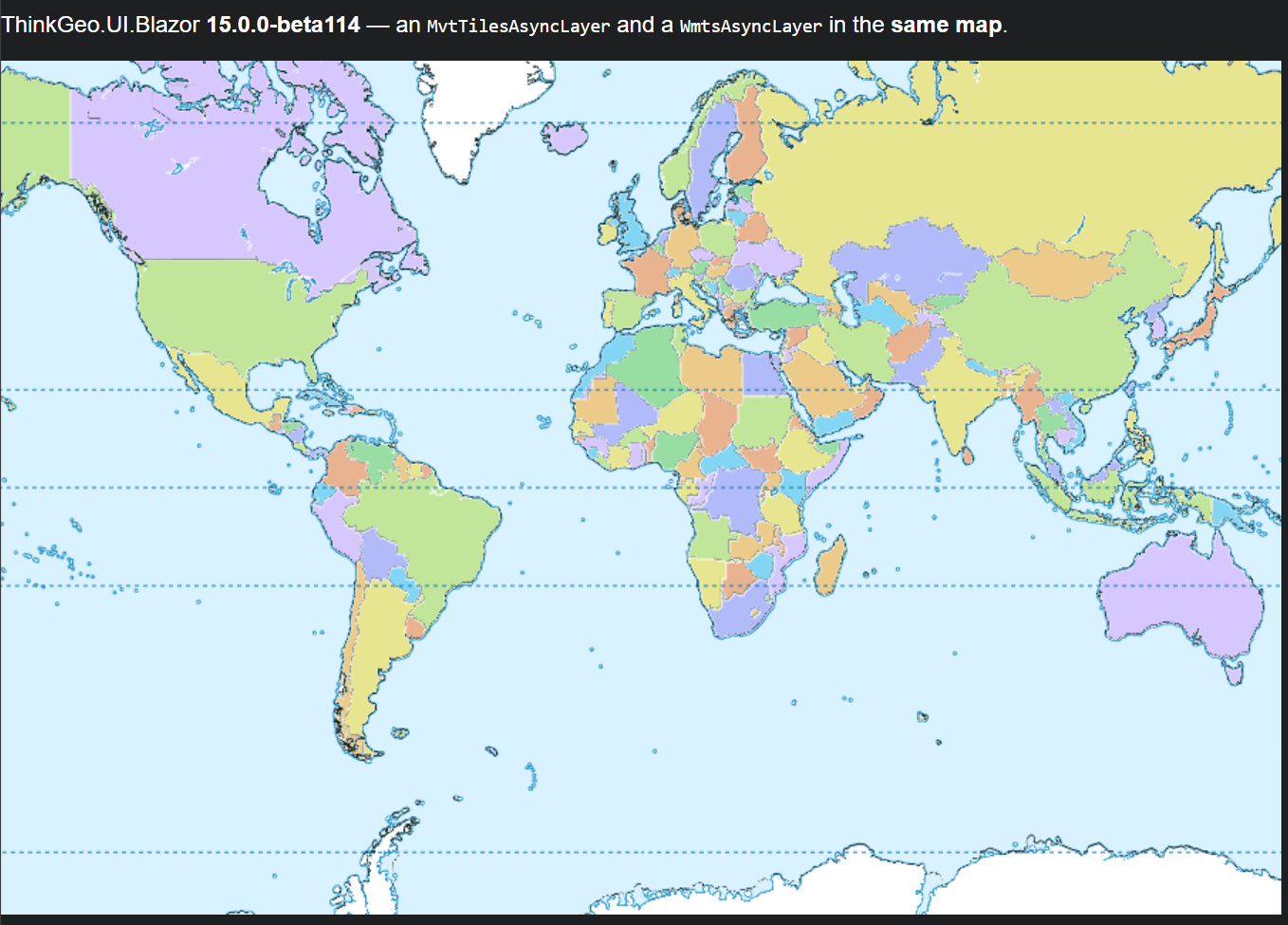
It works on my side with v15.0.0-beta114(sorry I didn’t make it specific enough). Can you see if this demo works on your side? BlazorCombinedDemo-Post12434.zip (5.3 KB). It loads both the layers.

   protected override void OnInitialized()
   {
       // MVT vector basemap (EPSG:3857).
       mvtLayers.Add(new MvtTilesAsyncLayer("https://demotiles.maplibre.org/style.json"));

       // Transparent WMTS overlay (EPSG:3857, GoogleMapsCompatible) drawn on top.
       var wmts = new WmtsAsyncLayer(
           new Uri("https://gibs.earthdata.nasa.gov/wmts/epsg3857/best/1.0.0"),
           WebRequest.DefaultWebProxy,
           WmtsServerEncodingType.Restful);
       wmts.ActiveLayerName = "Reference_Features_15m";
       wmts.TileMatrixSetName = "GoogleMapsCompatible_Level13";
       wmts.OutputFormat = "image/png";
       wmtsLayers.Add(wmts);

       // The LayerOverlays open the layers for you — no OpenAsync() calls needed.
   }

I’ll follow up on WebAssembly in a separate reply.

Thanks,
Ben

Hi Jimmy,

For WebAssembly and Hybrid, use the overlays, not the layers. VectorTileOverlay (MVT) and WmtsTileOverlay (WMTS) are rendered entirely by client-side JavaScript in the browser, so the same page works on Blazor Server, WebAssembly, and Hybrid.

  1. Please get the sample here: BlazorOverlayDemos_12434.zip (7.2 KB) . It includes two projects — a Blazor Server one and a Blazor WebAssembly one — both using the overlays instead of layers.
  2. The LayerOverlay path (MvtTilesAsyncLayer / WmtsAsyncLayer) renders tiles with our .NET drawing stack (SkiaSharp), on the server. It works well on Blazor Server. Making it render under WebAssembly would mean running SkiaSharp inside the browser — theoretically possible, but likely problematic, and not something we support today.
  3. One caveat: VectorTileOverlay and WmtsTileOverlay use different rendering engines, so if you put both in the same map they’ll misalign when you zoom out to the whole world — keep them in separate maps if you need them aligned.

Thanks,
Ben

FYI: v14.5.4 is now online with the fixes made yesterday.

Thanks Ben,

It looks there is not much customization we could have under VectorTileOverlay compared to MvtTilesAsyncLayer, for example caching strategy.
Not sure if it is right to ask in Web section, is the Mobile library support MVT well?
Ideally, I am trying to migrate the native app which contains mapbox to MAUI.

Hi Jimmy,

  1. The difference comes from how each one renders:
  • MvtTilesAsyncLayer decodes the MVT and renders it to raster tiles (via ThinkGeo.Core), so it exposes a tile-caching strategy like our other tiled layers.
  • VectorTileOverlay hands the vector tiles to MapLibre, which renders the features directly on the GPU in the browser. It doesn’t need a server-side raster-tile cache to be fast (MapLibre still caches the raw vector tiles it fetches).

So it’s a trade-off: if you need server-side tile caching or that level of control, MvtTilesAsyncLayer fits; if you want maximum client-side performance and don’t need the raster cache, VectorTileOverlay/MapLibre is the better choice.

  1. Yes, our Mobile (MAUI) library supports MVT:
  • 2.1 Today it renders MVT with MvtTilesAsyncLayer, you can add it to a layer overlay and display it.
  • 2.2 We’re also building a new MVT renderer that (1) greatly improves Style JSON coverage — so it’s compatible with more styles from different providers, which should help with your Mapbox styles — and (2) renders on the GPU, similar to MapLibre. It lands in the Desktop edition first in v15.0, and in MAUI (iOS and Android) in v15.1, early next year.

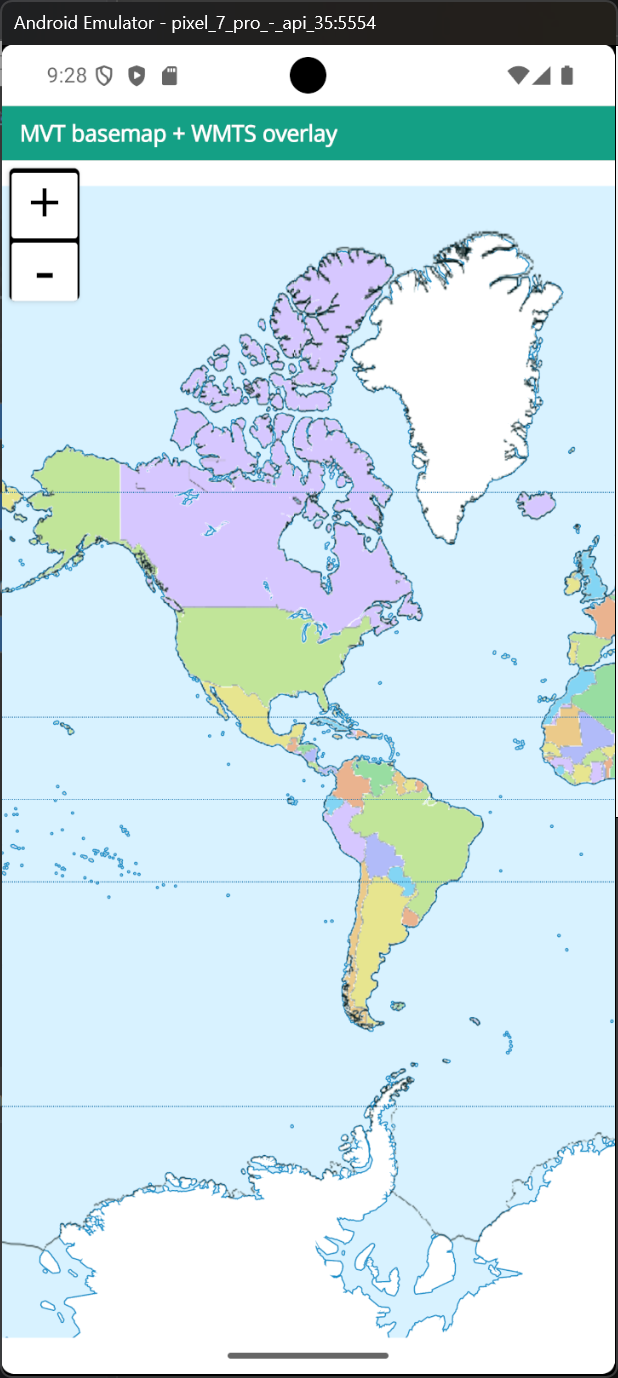
Here we created a demo for you: HelloWorldMaui.zip (154.4 KB). I put an Android tmp license, you can easily create a window or iOS license on your side.

Thanks,
Ben