Hi Julian,
It’s fixed in 15.0.0-beta147.
What was happening:
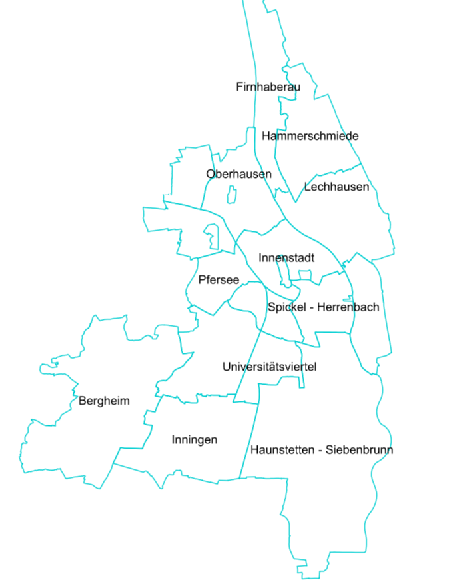
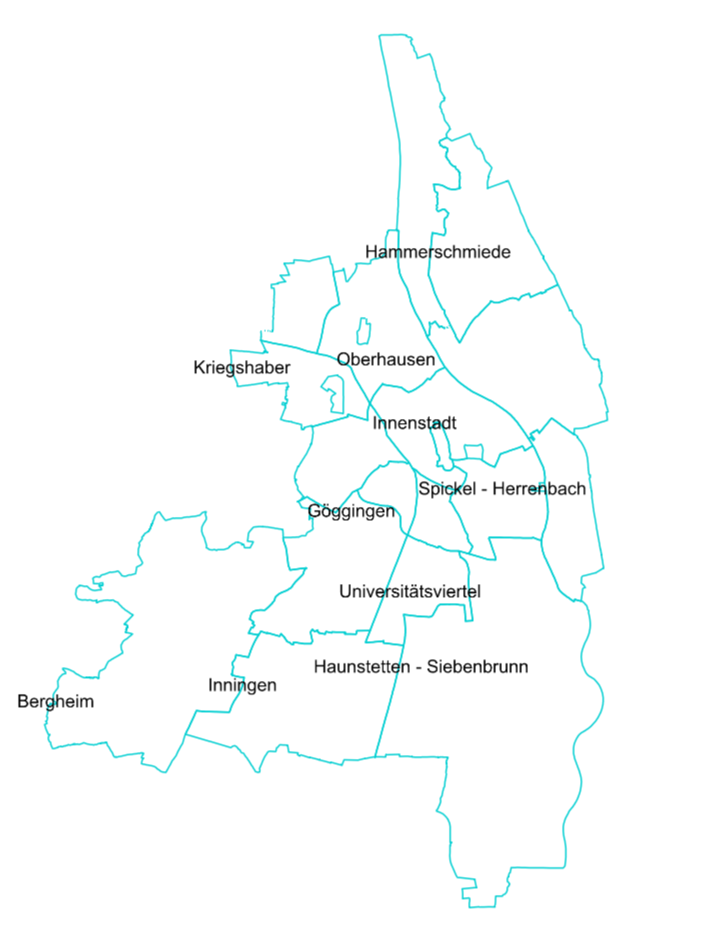
The GPU map draws from tiles, and a tile holds only the piece of a polygon that falls inside it. Labels were placed per piece, so a district that spans four tiles got its name at the center of one piece - near an edge, exactly as your first screenshot shows. Zooming out did not help because every zoom level cuts the polygon again and the label lands on a piece again. The classic renderer never saw the pieces: it labelled the whole polygon.
What changed in beta147:
The label placement now puts the pieces back together. Every piece of one feature that is on screen is clipped to the view, and one label is placed at the center of that visible area - the centroid by default, or the bounding-box center if your TextStyle asks for PolygonLabelingLocationMode.BoundingBoxCenter. A polygon that is fully in view gets its true center; a polygon that is half off screen gets its label in the visible half, which is what the classic renderer did with FittingPolygonInScreen.LabelAllPolygonParts still gives you one label per piece if that is what you want. Nothing to change in your code - the classic TextStyle carries the setting across.
Thanks,
Ben