
I see that the current 15 beta now has FeatureDrawnEditOverlayEventArgs.ColumnValues["__tg_edit_circle_radius"] when drawing a circle what are those units of measure? I drew a small circle and the radius was 138365.8010475412 that does not appear to be meters.
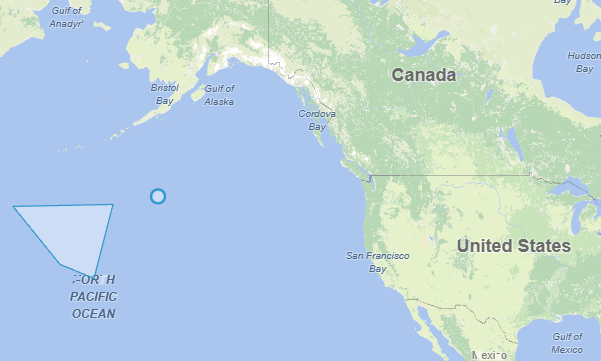
What are the units of measure used for "__tg_edit_circle_radius"?
It uses the unit of your current map (meters in your case), and you’re also correct that it’s not fully accurate.
When projecting the 3D Earth onto a 2D plane, some distortion is unavoidable. With Spherical Mercator (the projection your map is using), that distortion affects distance and area accuracy. As a result, a circle drawn on the map is not a true circle on the Earth’s surface, and the radius you see is based on the projected map—not the real-world distance.
If you need a more accurate measurement, you can use geodesic calculations. For example:
ellipseShape.GetArea(3857, AreaUnit.SquareMeters, DistanceCalculationMode.Haversine);
This calculates the area using a spherical model of the Earth and will give you a more accurate result.
This is a common question when working with map projections. Here’s a related discussion if you’d like to dig deeper:
EllipseShape Innacuracy issues - ThinkGeo UI for Desktop / WPF - ThinkGeo Discussion Forums
Ben,
Thank you. I did forget to do the adjustment. Going forward if using the BlazorTrackMode to generate a circle is using the dictionary key of __tg_edit_circle_radius going to be the best way to derive the radius? Or will there be a property added? Same with the center point using the keys of __tg_edit_circle_center_x and __tg_edit_circle_center_x, keys or a property later. I am going to code it for now as the dictionary keys. I can always change it later.
Thanks,
James R.
James,
I don’t think that’s the best way to use this internal key directly. Let me think about it, we would most likely add some parameters to FeatureDrawnEditOverlayEventArgs, something like following:
  public class FeatureDrawnEditOverlayEventArgs {
      public Feature DrawnFeature { get; }
      public bool IsCircle { get; }
      public double? CircleRadius { get; }
      public PointShape CircleCenter { get; }
  }
I will keep you posted.
Thanks,
Ben
Ben,
I will look for those changes.
Thanks,
James R.
Hi James,
We added FeatureDrawnEditOverlayEventArgs.GeometryInfo where you can get the Circle Information. Pull beta013 and have another try.
Thanks,
Ben
Ben,
That is most helpful.
Thanks
James R.
Just let us know when you have any questions.